Authentication
Access tokens, scopes and what each credential may call.
Role needed
Create an access token
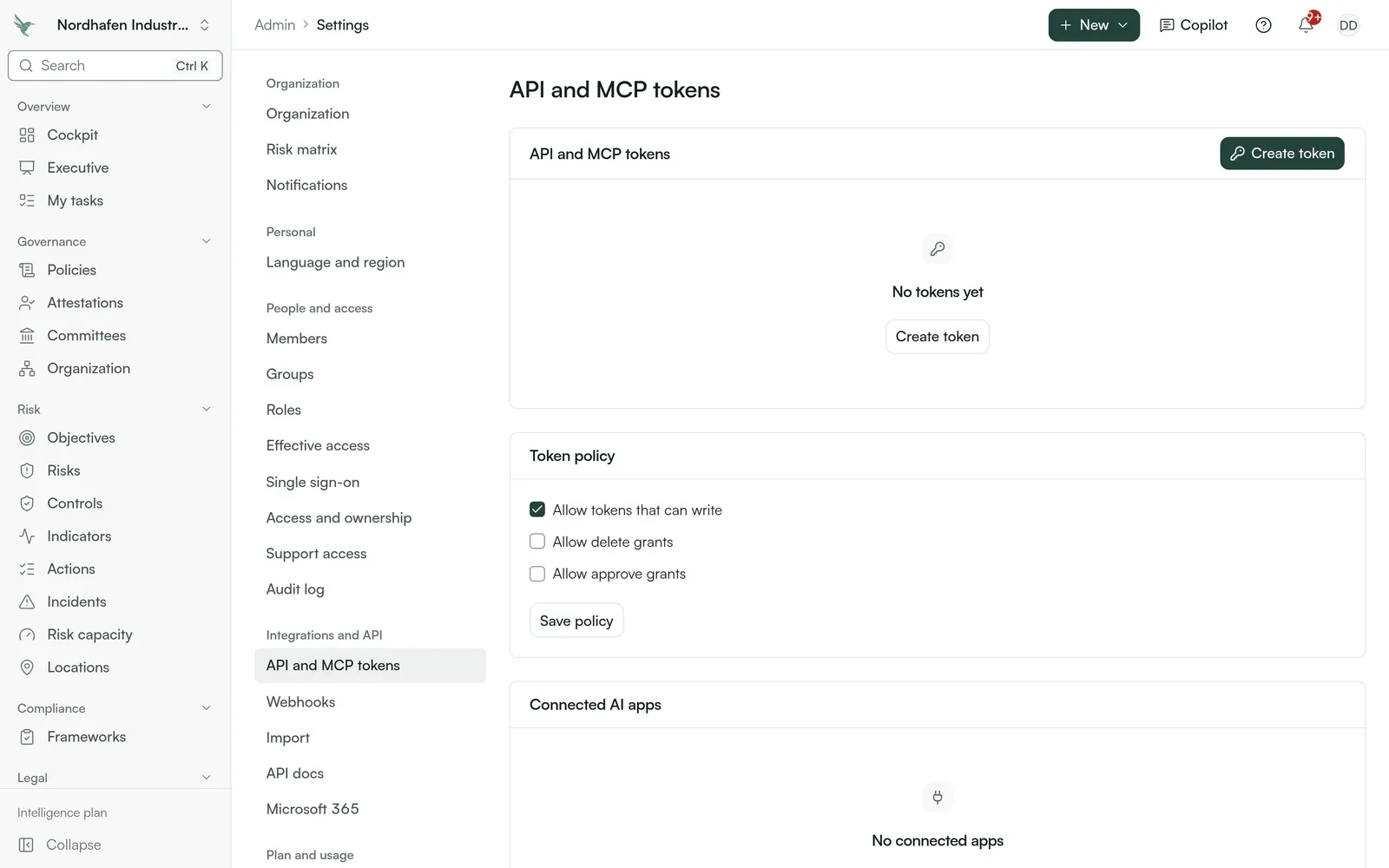
Open Settings, API and MCP tokens and choose Create token.
Give the token a name, for example "Nightly sync". Choose an expiry. Then pick a preset ("Read only", "Risk team", "Legal team" or "Full access") or tick the levels per module. The default is "Read only".
Choose Create token. Copy the token now. It is shown once and cannot be recovered.
Store it in your password manager or the secret store of your tool. Revoke it on the same page if it leaks. Revoking is recorded in the audit log.
A token starts with vgrc_. Send it as a bearer token:
curl https://grc.volatilis.org/api/v1/me \
  -H "Authorization: Bearer vgrc_YOUR_TOKEN"
The answer shows the person and organization behind the token, its scopes and the access matrix it ends up with.
Grants: what a token may do
A token holds grants per module and level.
| Level | Allows |
|---|---|
| Read | See records of the module |
| Write | Create and change records. Includes Read |
| Delete | Delete records. Includes Write. Off by default |
| Approve | Decide approvals of the module. Includes Read only. Off by default |
Everything starts at the least privilege: the default is read on the modules you pick. Delete and Approve are separate boxes, off by default, and only available if your own access and your organization's token policy include them. A token with a Write grant on kris lists and runs only the indicator operations, on REST and on MCP.
The checkbox "Also allow bulk import through the REST API" adds the import scope. Only a token with it may call /imports.
People whose role has no create rights can only create tokens with read grants.
Over MCP a Write grant lets the assistant change records directly. Deleting needs confirm: true, and every change needs the recordVersion of the record. A token may make 120 changes a minute and 500 a day over MCP. See Writing safely.
A token can never do more than its owner. The effective right is what your role, groups and department scope allow, narrowed by the grants of the token. A read token never changes data, even when you could.
An automation runs later with your full rights, so a token with module grants cannot save, switch on, take over or run automations (403). Use the app or a legacy token for that. An automation that a token saved or switched on stops when that token is revoked or expires: it is switched off and admins get a task to take it over.
A record the owner may not see answers 404, the same as a record that does not exist. An action the owner may not do on a visible record, or that the grants do not cover, answers 403.
Legacy tokens
Tokens created before grants show "Legacy (full access of owner)". They keep their access. Choose Narrow on the token to restrict it to modules and levels. A token can only be narrowed, never widened.
What works where
| Credential | REST API | MCP | SCIM |
|---|---|---|---|
| Access token with read or write | Yes | Yes | No |
| Access token with import | Yes | No | No |
OAuth access token (vgoa_) | No, answers 401 | Yes | No |
| SCIM token | No | No | Yes |
An OAuth sign-in is consented for MCP only. It holds read, or read and write on every module you may change, and never delete or approve. The consent page lists these grants. The REST API refuses it. Use an access token for scripts.
When a token stops working
A token stops working at once when:
- you revoke it, or it passes its expiry;
- the person behind it is deactivated or suspended, or the organization is suspended;
- the organization enforces single sign-on and the person has not signed in through the Microsoft tenant.
The API then answers 401 with code: "unauthenticated".
Plans and the token limit
Each plan allows a number of active access tokens (the row "MCP access tokens") and a monthly number of REST API calls. Both are in the limits table on the Developers overview. The token page shows how many tokens you have used.
Good practice
- One token per integration, named after it. Then you can revoke one without breaking the others.
- Choose the shortest expiry that fits. Rotate tokens on a schedule.
- Never put a token in source code or a shared spreadsheet.
- Give a token only the modules it needs. A feeder for indicators needs
kris:write, nothing else. - Use a read token whenever the integration only reads.