Control tests
Record the result of a control test, see what it changes on the control, and what a failed or partly passed test triggers.
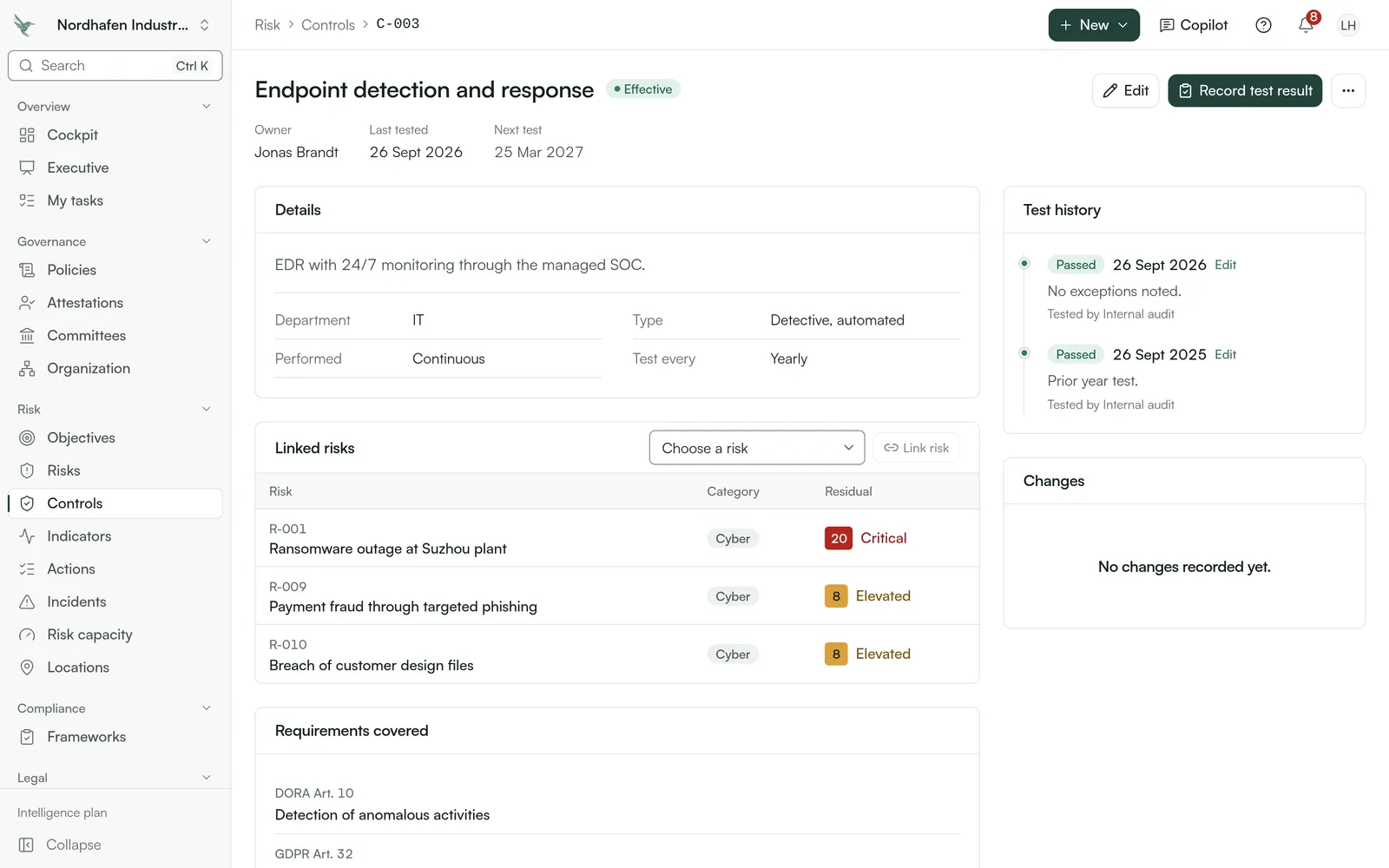
A control test is one dated check of a control, with a result. You record it on the control page. Every test stays in the control's test history, so an auditor can see when the control was checked, by whom and with what outcome.
Role needed
What a test result changes
The result you choose sets the effectiveness of the control. The form shows this under the field.
| Result | Control becomes |
|---|---|
| Passed | Effective |
| Partly passed | Partially effective |
| Failed | Ineffective |
The control also moves forward in time:
- Last tested is set to the test date.
- Next test due is set to the date you enter. If you leave the suggestion unchanged, the app counts from the test date by the control's Test every (see Controls).
The newest test decides
If you record a test with a date older than the latest one, for example to back-fill a result, it only adds to the test history. The effectiveness and the dates of the control stay as the newest test set them.
Effectiveness changes only when you record a test or when someone edits the control. A control does not turn "ineffective" by itself when a test is overdue. It shows the badge Test overdue next to its effectiveness instead.
Test overdue means that the Next test due date of the control is before today (your calendar day). The app works this out each time you open a page and never stores it, so recording a test or moving the date removes it at once. A control with the rating Effective and an overdue test is not counted as effective in the list summary, the cockpit report blocks, the management report, the year-end pack and the compliance coverage. The other ratings count as recorded.
Edit or delete a test
Open the control, find the test in the Test history and select Edit. You can change the date, result, tester, notes and, for the newest test, the next test date. Delete removes a test recorded by mistake (Manager or Admin). After either change the control takes its effectiveness, Last tested and, when the newest test changed, Next test due from the newest remaining test. Without any test left it is Not tested again. Both changes are written to the control's change history.
The fields of a test
| Field | Meaning |
|---|---|
| Tested on | The date of the test. It cannot be in the future. |
| Result | Passed, Partly passed or Failed. |
| Tested by | The member who ran the test. It defaults to you, and you can pick another member from the list. If it is the control owner, the test counts as a Self-test, otherwise as Independent. |
| Next test due | The next due date. It is suggested from the test date and the control's test frequency. It cannot be before the test date. |
| Notes | What you tested and what you found. Up to 2,000 characters. |
The How to test text on the control is shown at the top of the form, so everyone checks the same thing. Attach evidence in the attachments panel on the control page once the result is saved.
A failed or partly passed test creates nothing by itself
A Failed or Partly passed result changes the effectiveness of the control and nothing else. The app does not draft an action from it. If the test shows work that has to be done, raise an action on the linked risk yourself.
A failed test also raises an event
A Failed result raises the event control.test_failed. You can use it in an automation, for example to alert the control owner and the head of risk. A partly passed result does not raise it.
Record a test
Open the control from Controls, or from My tasks when the test is due.
Choose Record test result.
Set Tested on, Result and Tested by.
Check Next test due. Change it if your plan differs from the suggestion.
Write what you tested and what you found in Notes. Be specific: an auditor reads this later.
Choose Record result.
The test appears at the top of Test history. The change is written to the audit log.
How tests connect to other modules
- Compliance: the control's effectiveness decides whether the requirements it is mapped to count as covered. A control that becomes Ineffective or Partially effective turns those requirements from covered to partial, unless another mapped control is Effective.
- My tasks: a test due within 14 days appears for the control owner. From there you can record the test without opening the control.
- Reports: the compliance status report and the year-end pack list the tests and the effectiveness of your controls.
See also: Reading the charts explains each chart with a worked example.
Controls
The control library. Create controls, set who owns them, how often they run and how often they are tested, link them to risks, and see which ones are weak or overdue.
Control testing round
A step by step routine for a testing round, from finding the controls that are due to following up on failed tests and checking the effect on compliance coverage.