Navigation
The sidebar, the top bar, search and the New menu, and which modules each role sees.
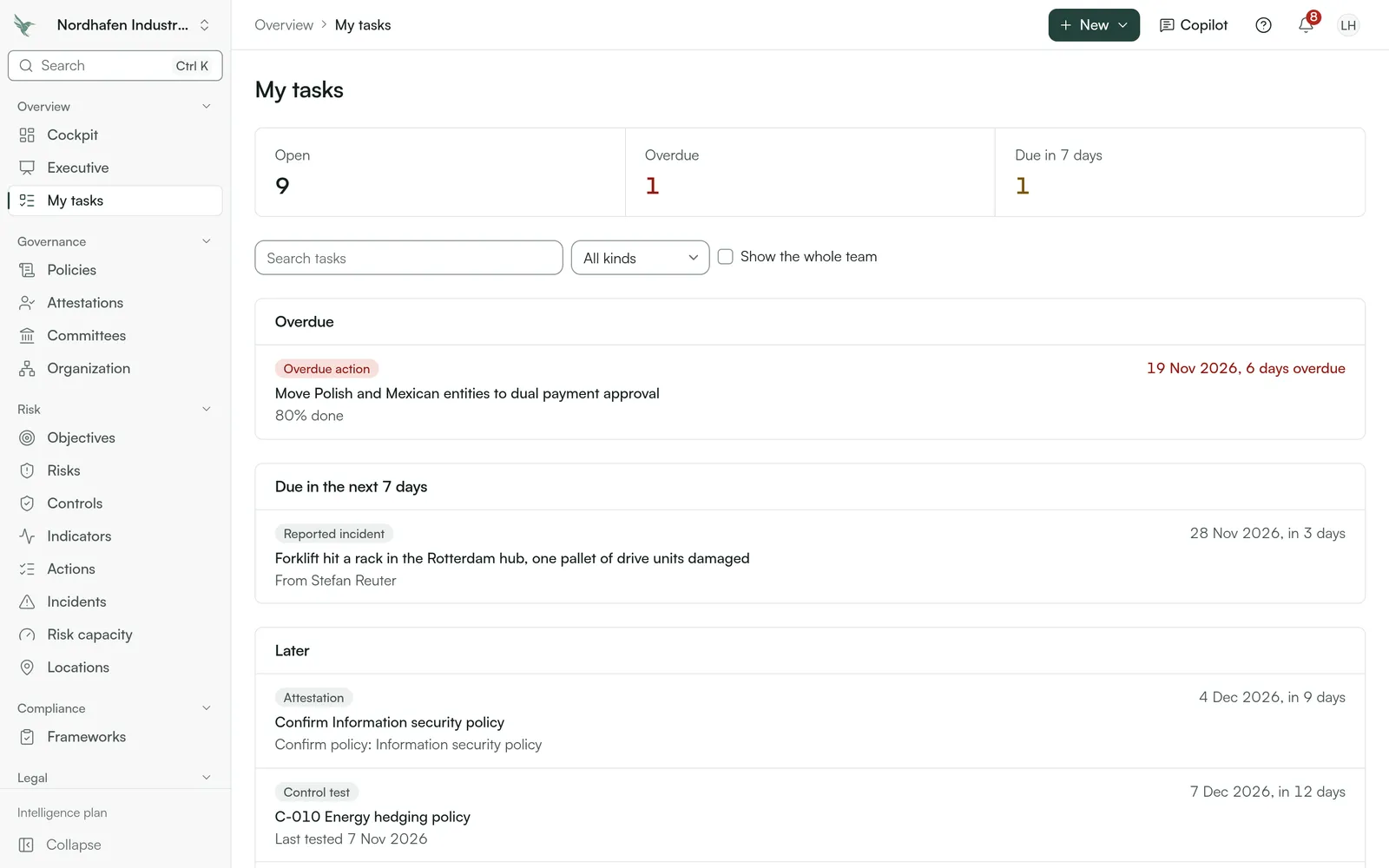
The sidebar
The sidebar groups the modules. Your access decides which groups and pages appear. You can collapse the sidebar to a narrow rail with Collapse, and the app remembers your choice in this browser.
| Group | Pages |
|---|---|
| Overview | Cockpit, Executive, My tasks |
| Governance | Policies, Attestations, Committees, Organization |
| Risk | Risks, Controls, Indicators, Actions, Incidents, Risk capacity, Locations |
| Compliance | Frameworks |
| Legal | Contracts, Counterparties, Contract obligations, Matters, Clause library |
| Knowledge | Copilot, Knowledge base, Automations |
| Reports | Reports, Year-end pack, Second line view |
| Admin | Settings |
Platform admins of Volatilis also see a Platform group. It is not part of these docs.
What each page is for
| Page | What it is |
|---|---|
| Cockpit | Overview of your risk position |
| Executive | One screen for the board and C-level |
| My tasks | Everything assigned to you |
| Policies | Policies, standards and approvals |
| Committees | Meetings, minutes and decisions |
| Organization | Departments, taxonomy and appetite |
| Risks | Risk register |
| Controls | Controls and test results |
| Indicators | Key risk indicators |
| Actions | Plans that reduce risk |
| Incidents | Loss events |
| Risk capacity | Risk-bearing capacity and Monte Carlo |
| Locations | Sites on the map |
| Frameworks | Frameworks and requirement coverage |
| Attestations | Policy confirmations and questionnaires |
| Contracts | Contract lifecycle management |
| Counterparties | Due diligence and sanctions screening |
| Contract obligations | What we and our counterparties owe under contract. Regulatory duties are Requirements under Compliance |
| Matters | Litigation, disputes and advisory |
| Clause library | Standard clauses and playbook |
| Copilot | Ask questions, draft records, search documents |
| Knowledge base | Documents and search |
| Automations | Rules, reminders and agents |
| Reports | Board, management, compliance, legal and department reports |
| Year-end pack | Audit evidence for the year |
| Second line view | Weekly view for the head of risk |
| Settings | Organization, members, billing, audit log |
What the built-in roles see
Each member holds a built-in role. It is a starting template, and custom roles, groups and scope can widen or narrow it. See Roles, groups and scope.
| Built-in role | Sees |
|---|---|
| Admin | Everything, including billing and members |
| Manager | All content modules. Billing and members are read only |
| Contributor | Read access to the registers and most content modules. Can create records and edit the ones they own or are a delegate of. No Cockpit, Executive, Committees, Organization, Risk capacity, Contract obligations, Counterparties, Matters, Clause library, Automations, Reports, Year-end pack or Second line view |
| Auditor | Everything except Automations. Can export reports, the year-end pack, the audit log, risks, controls and frameworks |
| Viewer | Read only. No Automations, Year-end pack or Second line view |
| No module access | Only My tasks and personal settings, plus what custom roles and groups add |
Where you start after sign-in depends on what you may see. Most people land on the Cockpit. People without a cockpit, such as contributors, land on My tasks; contributors start there unless they chose another page under Open after sign in.
The top of the page
- Search (Ctrl+K or Cmd+K) opens the command palette. Search risks, controls and counterparties, or jump to a page.
- New lists short forms for people who are not risk professionals. Which ones you see depends on what you may create: Report an incident, Raise a risk, Request a contract and Ask legal. They land as drafts or requests in the queue of the second line or of legal.
- Copilot opens a side panel to ask questions, draft records and search documents. See Copilot.
- Notifications, the bell, shows unread items. View all opens the notification page and Preferences your settings. See Notifications.
- Help for this page (the question mark) opens the matching page of this documentation in a new tab.
- The user menu holds Language, Density (Comfortable or Compact) and Sign out.
Product tour
A short tour opens the first time you sign in. It asks what you mainly work on (Risk management, Compliance, Legal or Just looking around) and then walks you through the pages in the order the work flows. It opens the first risk, control, framework or contract of your list and highlights what you see there, one sentence per element: what it shows, why it matters and where it connects.
| Role | What the tour shows |
|---|---|
| Risk management | The cockpit (figures, briefing, heat map, top risks), the risk register and one risk (facts, details, bow tie, tabs, quantification), then indicators, risk capacity, reports and the Copilot. |
| Compliance | The control library and one control (facts, tests, linked risks, requirements), frameworks with their gaps and one framework, then policies, reports and the Copilot. |
| Legal | The legal overview, the contract board, one contract (notice deadline, renewal decision, linked risks), AI check findings from My tasks, obligations, key dates, matters, reports, New and the Copilot. |
| Just looking around | My tasks, New, what you reported, search, the Copilot, help and the cockpit. |
The card names the chapter and the step in it, for example "Cockpit 2 of 4". Steps you may not open, and records your organization does not have yet, are left out. Below 1024 px wide the steps show as cards in the middle of the screen. Skip it at any step with Skip tour or Esc, and restart it with Take the tour in the Help and support menu. The first time, Legal also sets Open after sign in to Legal overview (see Language and region).
My tasks
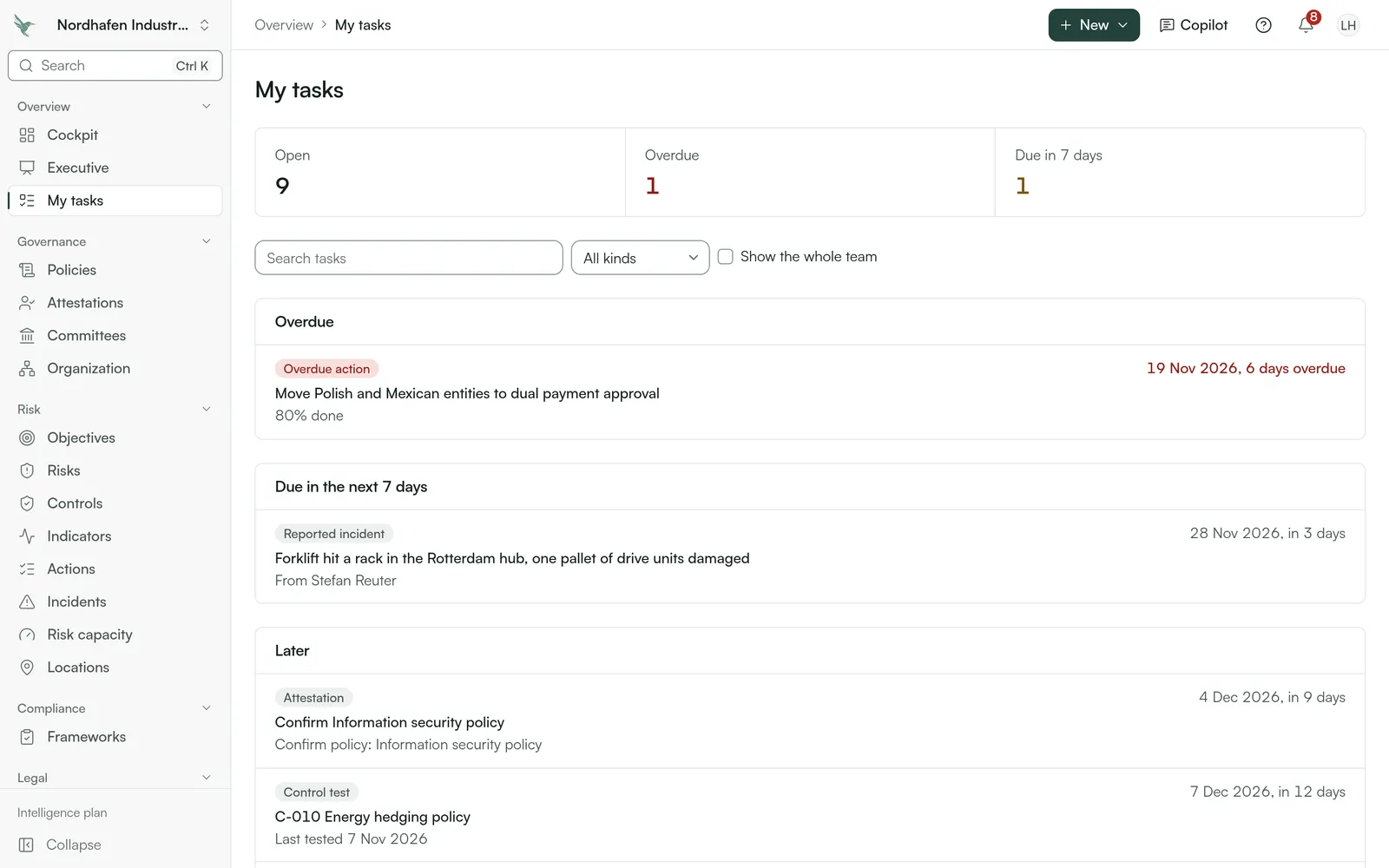
My tasks is the inbox. Three figures at the top show Open, Overdue and Due in 7 days. Items are grouped into Overdue, Due in the next 7 days, Later and No date. Filter by kind or search by text. Selecting an item opens a drawer where you can usually finish the job without leaving the page.
Contributors have no report centre, so above the list they see a read-only My area: the open risks of their department, Overdue actions, Controls due and Contracts ending in 90 days, each linking to the matching list, and a Next 30 days panel. It shows only what their department scope allows and changes nothing.
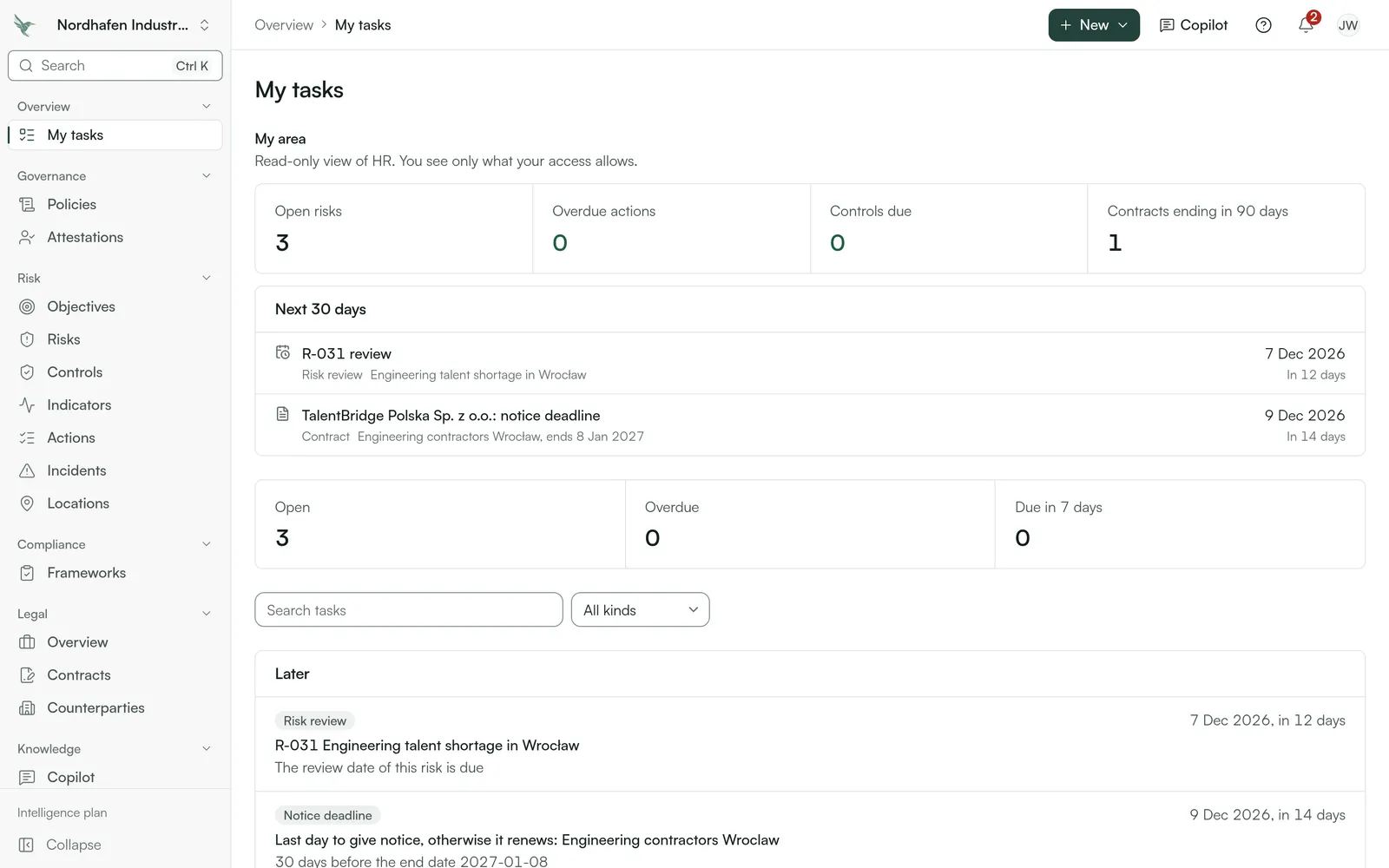
Below the groups, Raised by me lists the incidents you reported, the risks you raised and the contracts you requested, and where each stands.
People who may approve in some module also get Show the whole team, which widens the list to everyone's tasks in that module.
The kinds of task are listed in How modules connect.