Print and PDF
The document view of a report, what the printed A4 document contains, and how to save it as a PDF.
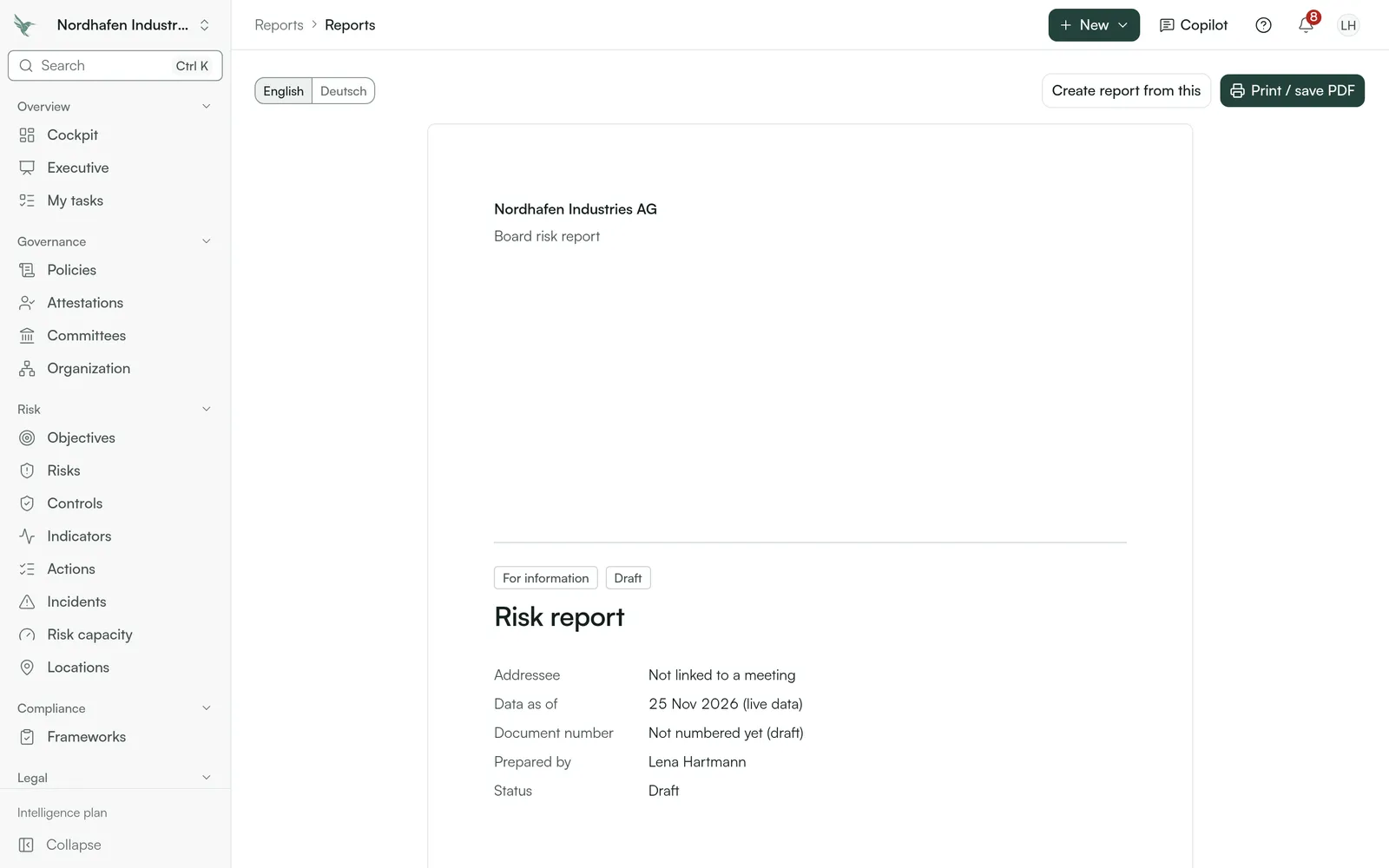
Every report has a document view that shows it as an A4 sheet. What you see on screen is what prints.
Open the document view
On the page of a report, select Document view and print. In the editor, Preview opens the same view of the last saved version. On a live preview from the report centre, the view opens directly.
Select Print / save PDF. The browser print dialog opens. Choose a printer, or choose Save as PDF as the destination.
Use Chromium based browsers for the page numbers
The page numbers and the confidentiality line in the footer come from the page layout of the print stylesheet. Chrome and Edge print them. The document view says "Page numbers appear when you print".
What is in the document
- Cover page. Organization, document type, title, the tags for the purpose and for a draft, and the facts: addressee (committee and meeting title), meeting date and place, reporting period, data as of (with live or frozen), document number and version, prepared by, status with the approval date. At the bottom: Strictly confidential or Streng vertraulich. The cover has no footer.
- Contents. The numbered sections as links on screen. In print it has numbers and titles only.
- Sections. Numbered 1, 2, 3 with the text and the data blocks. The section Method and data date starts on a new page and is lettered A. In the board risk report, Risk-bearing capacity and total risk position also starts on a new page.
- Signatures. Three lines: Prepared by, Approved by and Chair (or Chair of the meeting), each with a date line. For an approved report the name of the approver and the approval date are filled in. The chair is the chair of the linked committee.
On every page after the cover the header shows the organization on the left and the report title on the right. The footer shows the confidentiality line and the date on the left and "Page 3 of 12" or "Seite 3 von 12" on the right. The language of the footer follows the language of the report.
Layout rules
- A4 portrait with 18 mm at the top, 17 mm at the sides and 20 mm at the bottom.
- Blocks, table rows and the signature block never break across pages. Long tables break between rows and repeat their header. A table never runs wider than the page: long text wraps inside its cell instead of scrolling or being cut off.
- Charts print in fixed sizes, with their colors, without animation.
- A strip of figures prints in one row.
- The menu, the top bar and the buttons are not printed.
- Every status and every mark that carries meaning has a text label, so a black and white copy stays readable.
Language and format
Dates, numbers, labels and the footer follow the language of the report, not the language of your user interface. A German report prints 71,6 Mio. EUR and 15.11.2026 whatever language you work in.
Executive cockpit and year-end pack
The executive cockpit prints on A4 landscape. The year-end pack prints with its own cover page and signature lines. Both use the same type sizes, table style, header and footer as the report document. They are live views and have their own print buttons.
Approval and snapshot
How a report is submitted, approved and numbered, why its figures are frozen on submission, and how you issue a new version.
Executive cockpit
The one-screen view for the board and C-level: the risk position, decisions waiting, losses against budget, compliance, legal exposure and contract renewals, always live.