Workflow: quarterly board risk report
How a risk team prepares the quarterly Risikobericht of the management board for the supervisory board, in German, from data check to approval, print and presentation.
Use this workflow every quarter to produce the risk report of the management board (Vorstand) for the supervisory board (Aufsichtsrat) and its audit committee (Prüfungsausschuss). The report is created from the template Board risk report, in German or English. It carries the figures of the day, an overall statement and the decisions the board is asked to take.
Role needed
Plan needed
Why this report exists
The report supports duties that a management board of a German company has. The list is what public sources agree on. The standards themselves are paid documents. Read them or ask your lawyer or auditor for what applies to you.
| Source | What it asks | Where it shows in the report |
|---|---|---|
| § 91 Abs. 2 AktG | The Vorstand sets up a system to detect early developments that threaten the continued existence of the company. | The overall statement in section 1: do risks, alone or combined, threaten the continued existence (Bestandsgefährdung)? |
| § 91 Abs. 3 AktG | Listed companies need an internal control system and a risk management system that are appropriate and effective. | Control effectiveness in section 9. |
| § 93 Abs. 1 AktG | Decisions are taken on the basis of appropriate information. | Decisions with facts and the proposed resolution. The approved version is frozen and kept. |
| § 107 Abs. 3 AktG | The audit committee monitors the internal control system, the risk management system and internal audit. | Control system and control effectiveness. |
| § 1 StaRUG | Every managing body of a limited company watches for developments that threaten the company. | The same statement as for § 91 Abs. 2, also for a GmbH. |
| IDW PS 340 n.F. | The auditor of a listed company checks the early-warning system. Risk-bearing capacity is determined, risks are aggregated, net risks are shown after measures. | Risk-bearing capacity against the aggregated total risk position, residual risks first, method in the appendix. |
Not legal advice
The report is a tool. It does not decide whether your company meets § 91 AktG, IDW PS 340 or any other rule, and it does not replace advice from your lawyer or auditor. The statement on the continued existence of the company is made by a person. The app only shows the figures and a reading of them.
Before you start
The report is only as good as the registers. Check these first:
- Risk-bearing capacity. It must be set. Without it, the report says that the statement on the continued existence cannot be made.
- Quantified risks. Every material risk has a loss estimate. Open the block Data quality in a management risk report to see unquantified risks, overdue reviews, risks without owner and without control.
- Indicators have a current reading.
- Loss budget is set in the executive cockpit, otherwise the incident block shows no budget.
- Committee meeting exists in the committee calendar, so the report is addressed to it.
Prepare, approve and present the report
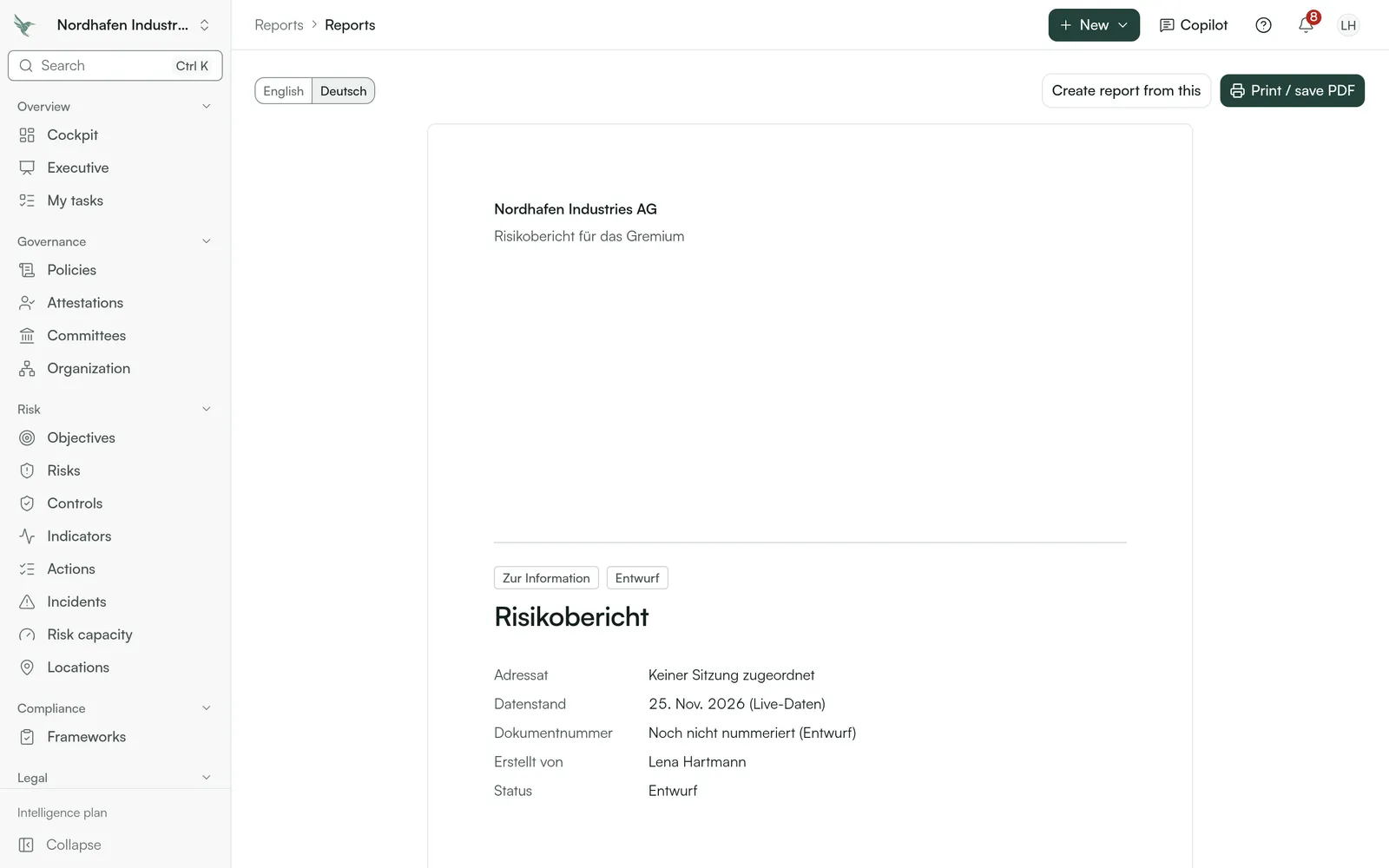
Open Reports and find Board at the top. For the template Board risk report, select Open in German to see the report with live data. This is a preview. It costs nothing and creates no record.
Select Create report from this, or go to All reports and select New report. Choose the template Board risk report, the Language German, a Reporting period such as "Q4 2026" and the Committee meeting. Leave the title empty to get "Risikobericht". Select Create report.
In the editor, open section 1, Zusammenfassung und Gesamtaussage (Summary and overall statement). The section titles are in the language of the report, the buttons stay in the language of your interface. Write the overall statement: three to five sentences on the risk position, and the statement on whether risks, alone or combined, threaten the continued existence of the company. Base it on the risk position line below. See the table after these steps.
Optional: use Draft with AI to draft the narrative of all sections. Enter a short brief for the reader. The AI writes in the formal language of the board, uses only the figures in the data, and writes the statement on the continued existence from the risk position. It adds that a person must confirm the statement before approval. Read every section, correct it and select Save.
Go through the sections. Add a short text where the figures need an explanation, for example why a risk moved. Add a block with Add data block where a reader needs more, or remove one the board does not need. In section 10, Beschlussvorschläge (Decisions required), write the wording of the resolution the board is asked to adopt.
Select Preview and read the document view. Check the cover, the contents, the figures, the page breaks and the appendix Methodik und Datenstand (Method and data date) with confidence level, simulation engine, correlation assumption and data date.
Select Submit for approval. The figures are frozen at this moment, and the report is locked. The approver receives the request in My tasks.
The approver reads the document and selects Approve or Reject. If the approver rejects the report, it returns to draft with the comment. Rework it and submit again. On approval the report gets its number, for example RB-2026-001.
Open Document view and print and select Print / save PDF. Save the PDF for the meeting pack. The approver, the date and the chair appear in the signature block. Print it for signature if your process needs a signature on paper.
After the meeting, select Mark as presented. The report becomes Presented.
How the overall statement is derived
The risk position line in section 1 (Risikolage in a German report) is calculated from the capacity figures. The AI draft derives its first sentence from the same state. If you write the statement yourself, use the state as your starting point and add the judgment that only a person can give.
| State in the report | What the figures say | Reading used by the AI draft |
|---|---|---|
| Within appetite (Innerhalb des Risikoappetits) | The bad year at the confidence level is within the appetite. | No risk or combination of risks threatens the continued existence. |
| Above appetite (Über dem Risikoappetit) | The bad year is above the appetite and within the capacity. | The continued existence is not threatened at present, but the tolerance is used up and the board must decide on measures. |
| Above capacity (Risikotragfähigkeit überschritten) | The bad year is above the risk-bearing capacity. | Risks, alone or combined, can threaten the continued existence. |
| Capacity not set (Risikotragfähigkeit nicht festgelegt) | The bad year is known, the capacity is not. | The statement cannot be made. |
| Not quantified yet (Noch nicht quantifiziert) | No risk has a loss estimate. | The statement cannot be made. |
Resolution wording
The verb of the resolution follows the purpose of the report. The AI draft uses it in German:
| Purpose | Verb |
|---|---|
| Zur Beschlussfassung (for decision) | beschließt |
| Zur Information (for information) | nimmt zur Kenntnis |
| Zur Erörterung (for discussion) | erörtert |
For the quarterly report to the supervisory board, the purpose is usually For information: "Der Aufsichtsrat nimmt den Risikobericht zum Stichtag zur Kenntnis." Use For decision when the report asks for a resolution.
The next quarter
Create a new report from the template. Do not create a new version. The block Changes since the last report compares the open risks with those frozen in the last approved or presented board risk report, and so shows what is new, closed and moved. Use New version only to correct a report that was already approved, for example after the supervisory board asked for a change. The version keeps the number RB-2026-001 and becomes version 2.
For an English report to a group body, use Copy in the other language on the approved report and rewrite the text.
What the app does for you
- It loads the figures of all blocks from the registers, with your access.
- It freezes them on submission and keeps them with the approved report.
- It compares the risk list with the last approved report.
- It numbers the report on approval and prints the approver and date.
- It writes every step to the audit log.
What stays with you
- The statement on the continued existence of the company.
- The text of the resolution.
- The quality of the data behind the blocks.
- The assessment whether your risk management system is appropriate and effective for your business.