Risk
Risk
The risk register, indicators, actions, incidents, capacity and quantification, and how they work together.
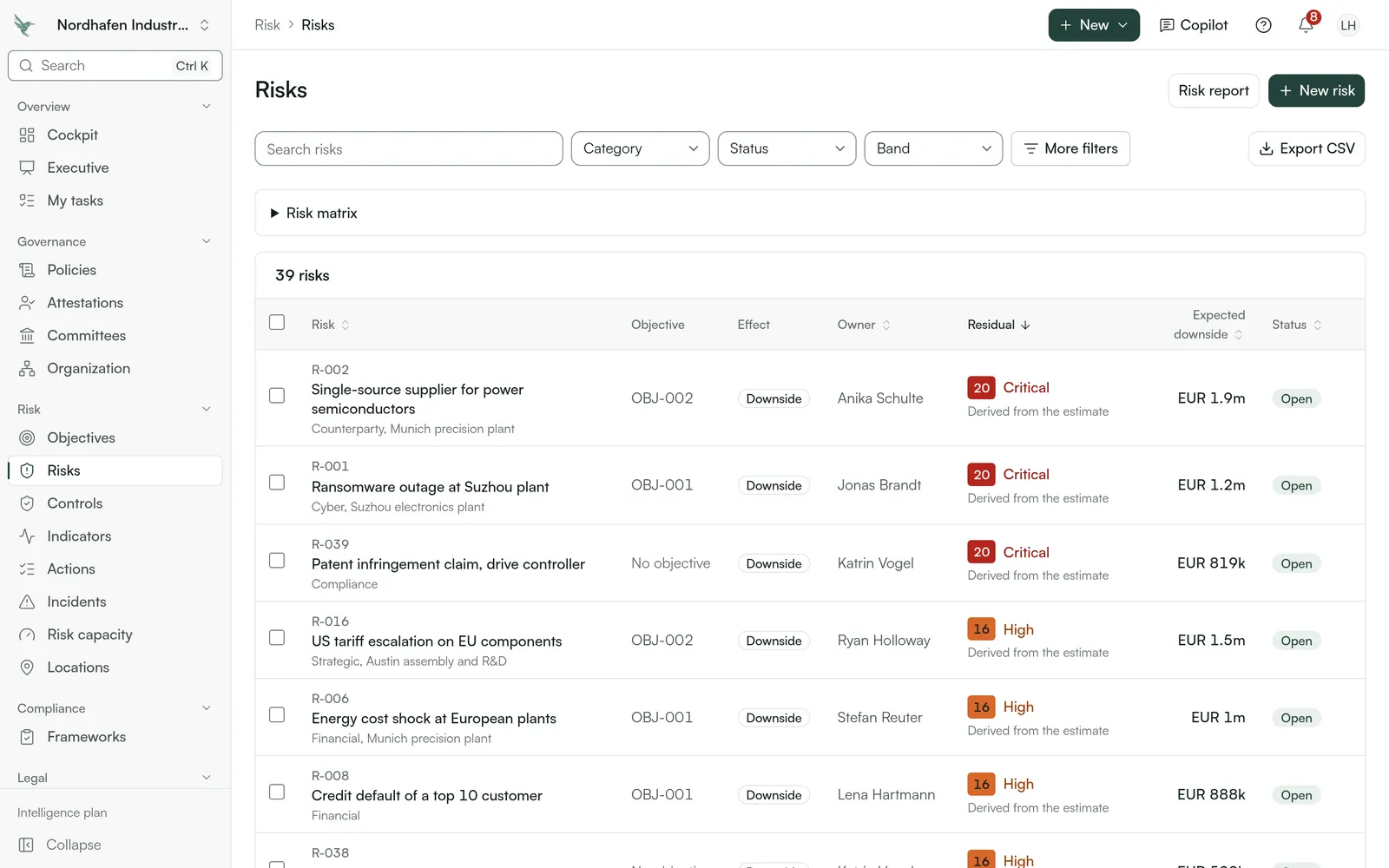
The Risk section is where the second line keeps the risk picture and where the first line reports on its own risks. Every page here points at the same record: the risk in the register.
What you use it for
| You want to | Go to |
|---|---|
| Keep the register, score risks and see what is above appetite | Risks |
| Keep the register current with owner reviews | Risk review cycle |
| Watch early warning signals | Indicators |
| Plan and track work that reduces a risk | Actions |
| Record what actually went wrong and what it cost | Incidents |
| Compare a bad year with the loss you can absorb | Capacity and appetite |
| Put a loss model on a risk | Quantification |
| See where your exposure sits on a map | Locations |
Workflows
- Risk review cycle: owners get a Risk review task when the review date arrives and update the risk directly.
- Risk acceptance: keep a risk above appetite on the register through a formal, time-limited decision.
How the pages connect
A risk carries a score and, optionally, a loss model. Controls, indicators, actions and incidents are linked to the risk and show on its record as tabs. The loss model feeds the expected downside per year on the register and the simulation on the capacity page. Incidents calibrate the loss model. Owners update the score and the loss model on the risk when its review date arrives.
See How the modules connect for the whole picture.