Organization and taxonomy
Set up departments and the people in them, define the shared risk categories with appetite and tolerance, and describe the likelihood and impact scales.
Open Organization in the sidebar (group Governance). The page has three tabs: Departments, Risk taxonomy and Likelihood and impact scales. Together they give every other module the same structure and the same words.
Role needed
Departments
A department is a node of your organization tree. The tree can be as deep as you need. The node type is one of Board, Committee, Division, Department or Team. The product says "department" for every node, whatever its type.
For each department you set:
| Field | Meaning |
|---|---|
| Name | At least 2 characters. |
| Type | Board, Committee, Division, Department or Team. |
| Reports into | The parent department. Leave it at Top level for the root. A department cannot sit below itself. |
| Head | A member of your organization. The head receives escalations when work in this department is overdue. |
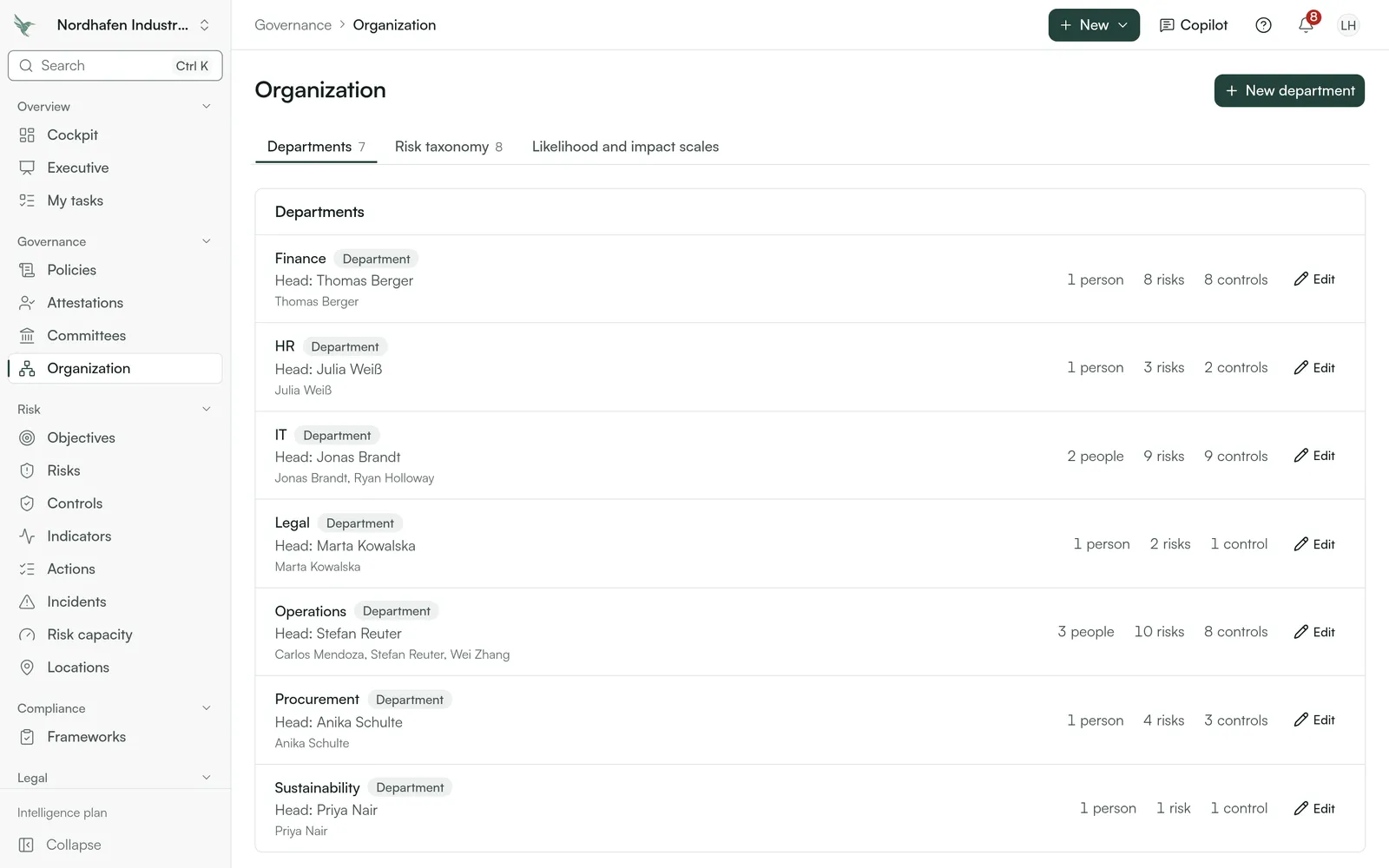
Each row of the tree shows the type, the head, and how many people, risks and controls belong to the department. If you may view reports, each row also links to the department report.
Put people into departments
Under the tree, the list People shows every member except Viewers. Choose a department for each person. A person belongs to one department at a time.
This assignment matters:
- An attestation campaign reaches people through the departments you choose. A person without a department is reached only when you leave the audience empty.
- A department that you scope a role or a group to includes its sub-departments. See Admin.
What the head receives
The head of a department is added to the reminders about the records of that department, for example a control test that is due or an action that is overdue. If a department has no head, the app uses the head of the nearest parent department that has one. If nobody is known, the reminder goes to the Admins and Managers.
Delete a department
You can delete a department only if no department sits below it. People and records of the deleted department become "No department". Move or delete the sub-departments first.
Risk taxonomy
The taxonomy is your shared language for risk. It has categories and, below each category, subcategories. Two levels only.
Every risk takes its category from its taxonomy entry. Define the entries once and every risk form shows the same definition.
For a category or subcategory you set:
| Field | Meaning |
|---|---|
| Name | At least 2 characters. |
| Definition | One shared meaning. It is shown next to the field when someone picks this category. |
| Examples | Typical cases. |
| Appetite statement | What the board accepts, in one or two sentences. |
| Appetite threshold | A score from 1 to 25. Residual scores above this are above appetite. |
| Tolerance | An amount of loss per year, in the currency of your organization. An expected annual loss above it needs the board. |
Each category card shows how many risks it holds and how many of them are above appetite. A subcategory inherits the appetite threshold and tolerance of its category when it has none of its own.
Deleting a category also deletes its subcategories. A category or subcategory that risks still use cannot be deleted: the app says "Risks use this category or one of its subcategories. Move them to another category first."
How appetite and tolerance work
The appetite and the tolerance decide who has to approve the acceptance of a risk.
| Residual risk | Who approves the acceptance |
|---|---|
| Within appetite | No acceptance needed. |
| Above the appetite threshold, within tolerance | A Manager. |
| A residual score of 20 or more, or an expected annual loss above the tolerance | The board level, which is an Admin. |
If a category has no appetite threshold, the app uses the target score of the risk, and otherwise a threshold of 14. A risk above appetite can only be closed while an approved acceptance exists. See Approvals and Risk.
Likelihood and impact scales
The third tab holds the plain-language meaning of each level, 1 to 5, for Likelihood and Impact. You describe every level in a few words (at least 3 characters). The labels and the numeric ranges of the risk matrix are set under Settings, in the risk matrix.
Choose Save definitions to store them. Every level must be filled in.
What the app does automatically
- It counts people, risks and controls per department.
- It derives the risk category from the taxonomy entry. The category is not typed in by hand.
- It decides the approval level of a risk acceptance from the appetite and tolerance of the category.
- It records every change to departments, taxonomy and scales in the audit log.
How it connects to other modules
| Module | Link |
|---|---|
| Attestations | The audience of a campaign comes from the departments. |
| Risks | Each risk has a taxonomy entry and shows whether it is above appetite. |
| Policies | A policy can name its department. |
| Access | Roles and groups can be limited to departments. |
| Reports | Department reports use the tree. |
Governance
How Volatilis GRC models your organization, writes and approves policies, runs committee meetings and decides approval requests.
Policies
Write policies, standards, procedures and guidelines, keep their versions, send them for approval, review them on schedule and link them to requirements and controls.