Contract obligations
Track what you and your counterparties owe under a contract, with due dates, owners and reminders. Let AI read the contract and propose drafts.
A contract obligation is a duty that arises from a contract and is owed by you or by the counterparty, for example a report, a payment, an audit or an insurance certificate. The page Contract obligations shows all of them across contracts.
Duties that come from law or standards are not contract obligations. They are requirements in Compliance.
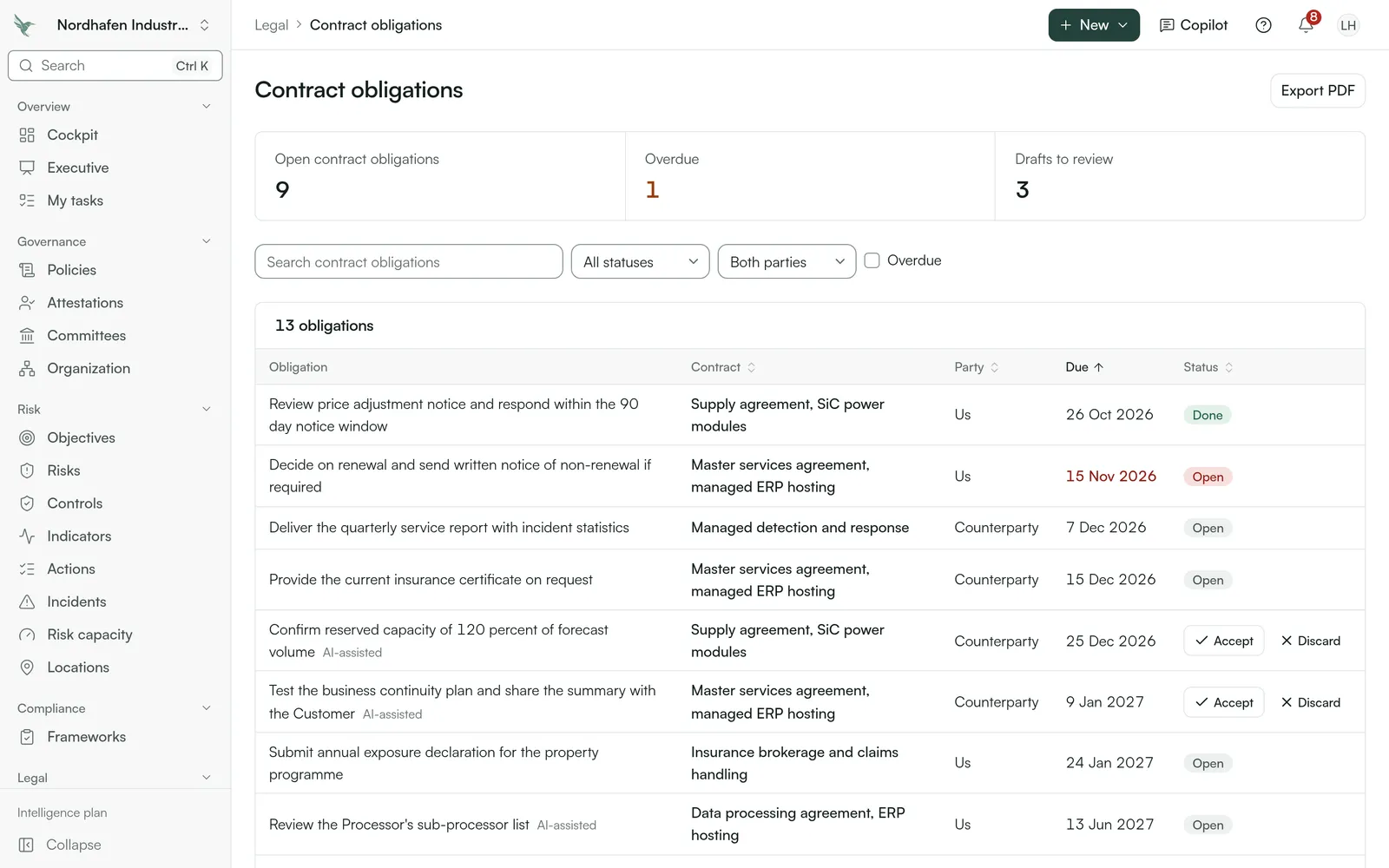
The overview page
The page lists obligations with contract, party, due date, owner and status. The tiles show:
- Open contract obligations,
- Overdue,
- Drafts to review, which the AI extracted and which you accept or discard in the list.
Filter by search, status, party (both parties, us or the counterparty) and overdue. Accept or discard drafts directly in the list. You add and change everything else on the contract.
Export PDF in the page header downloads the list as a PDF with the filters and sort you have set: obligation, contract, party, due date or recurrence, owner and status. It needs the export right on obligations, lists only the obligations of contracts you may see, is written to the audit log, and is also available as GET /obligations/export over REST and as an MCP tool (the PDF comes back base64 encoded). The file is dated in your time zone. A PDF holds at most 2,000 obligations: if the list is longer, the PDF says how many are shown, and the REST and MCP answer carries truncated and total.
Add an obligation
Role needed
Open the contract and go to the Obligations tab.
Select Add obligation.
Write the obligation in one sentence that starts with a verb. Choose who must act: We do or The counterparty does.
Choose the owner. The owner gets the reminders. If you leave it empty, the contract owner gets them.
Enter a due date, a recurrence, or both. You need at least one of them. The recurrences are Weekly, Monthly, Quarterly, Every 6 months, Annual and On event.
Save. The obligation is open and appears in the Contract calendar if it has a due date.
If an obligation has a recurrence (other than On event) and no due date, the app sets the next due date from today. When you mark a recurring obligation Done, it creates the next obligation with the following due date. The finished one stays as history. Marking an obligation Done twice, or reopening and finishing it again, never creates a second copy of the next one. Waive does not create a next obligation.
If you are named as the owner
You get a notification and the obligation appears in My tasks, even when the contract belongs to another department and you cannot open it. Select the task to open the obligation. It shows the obligation, its due date and recurrence, its status, and the contract title and counterparty as plain text. Choose Mark done, optionally with a note. You see nothing else of the contract and cannot change the other fields of the obligation. If you can view the contract, the drawer also links to it.
Let AI read the contract
Plan needed
On the Obligations tab, choose the Document to read and select Extract with AI.
The AI adds draft obligations. Obligations that are already tracked with the same text are not added again.
Review the drafts under Drafts for your review. Select Accept for those that apply, Discard for the others, or Accept all to take every draft.
Each draft keeps the passage it comes from and its page: the quote is shown under the obligation with its page and, for a PDF, Show in document, which opens the document at the passage with the passage boxed. The same quote and link appear on the Obligations overview. A DOCX file has no page view, so only the quote and page are shown. "Us" and "them" follow Our role on the contract, so on a supplier contract the parties are the right way round.
Nothing is tracked, dated or reminded until you accept it. Accepted obligations keep the label AI-assisted. A draft for an obligation of your own side gets the contract owner as owner.
Work an obligation
- Mark done closes the obligation and removes its date from the calendar. Waive closes it too, when the obligation no longer applies. Reopen brings it back.
- The edit and delete icons on an obligation change or remove it. Discard on a draft removes the draft.
- The contract editor or the named owner of the obligation can change its status.
- A named owner is notified when the obligation is assigned and finds it in My tasks, also without access to the Obligations page. They open it from there on the contract, where they can mark it done.
- A due date in the past on an open obligation shows as Overdue.
Reminders
Open obligations with a due date remind their owner 90, 60, 30 and 7 days before the due date. Each reminder also raises the event obligation.due for webhooks. See Contract calendar.
Only contracts in force (Active or Expiring) send obligation reminders. When a contract ends, is terminated, or is not yet signed, its open obligations stay on the record but send no reminders, and completing a recurring obligation creates no next one. Waive obligations that no longer apply.