Workflow: contract review
From first draft to signature and into force, with the AI check, negotiation, signing approval and the data you record after signing.
Use this workflow to take a contract through Drafting, Negotiation, Approval and Signature until it is Active.
Role needed
Plan needed
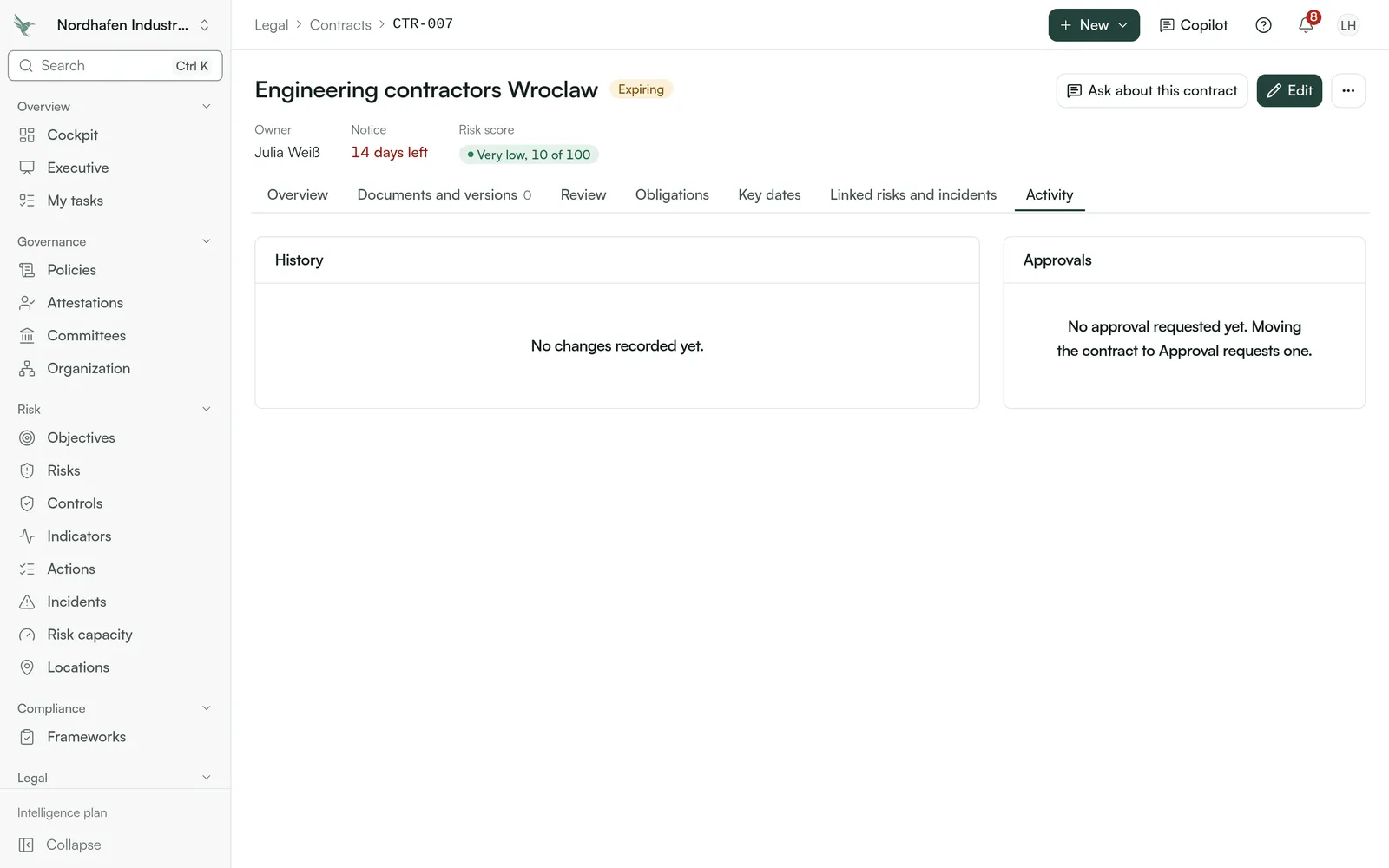
Upload the draft. Open the contract, go to Documents and versions and upload the PDF or DOCX. Check that the text was read ("Text read").
Prepare the record. Select Edit. Set criticality, data access, the regulations (DORA, GDPR) and governing law. They decide which checklists apply.
Run the AI check. Go to Review, select the document, tick the playbook and the checklists and select Run AI check. It takes one to three minutes.
Decide on the findings. Work through red lines first, then major and minor deviations. Accept what you want to change and Dismiss what does not apply. Dismissing a red line asks for a short Reason; it is stored with the finding and shown in the contract history. Accepted findings with a suggested redline become the agreed changes in the memo.
Negotiate. Move the contract to Negotiation. Send the memo or the redlines to the counterparty. Select Review memo to print it.
Check the counter-draft. Upload the next version. Every upload becomes a new version and old ones stay. Run the check again against the new version and compare the score. It is shown in the list of earlier checks.
Record the facts. Link the risks that the relationship creates on Linked risks and incidents. Record whether a tested exit plan exists. On the Obligations tab, use Extract with AI and accept the obligations that apply, see Contract obligations.
Ask for approval. Move the contract to Approval. The app asks a manager for the signing approval and notes it on the Activity tab. The approver is someone other than you, Admins included. If nobody else may approve contracts, the app says "This needs a second approver" and the contract stays in Negotiation. The contract shows "Signing approval is pending".
Decide the approval. The approver opens My tasks, opens the approval, reviews the contract and approves or rejects it with a comment. If approved, the contract moves to Signature. If rejected, it goes back to Negotiation and the comment is in the history.
Sign and activate. After signing, upload the signed version and move the contract to Active. Enter start date, end date, notice period in days, automatic renewal and annual value on the contract. Without them, the calendar cannot compute the notice deadline.
Review side by side
After an AI check, Review side by side on the Review tab shows the document and the findings on one page, with keys J and K to step through the findings, a note and editable wording for each, and the same accept and dismiss decisions as the table. The Synopsis for the other side print layout of the memo gives the counterparty clause, current text and proposed text only. Details: AI contract check.
Compare two versions
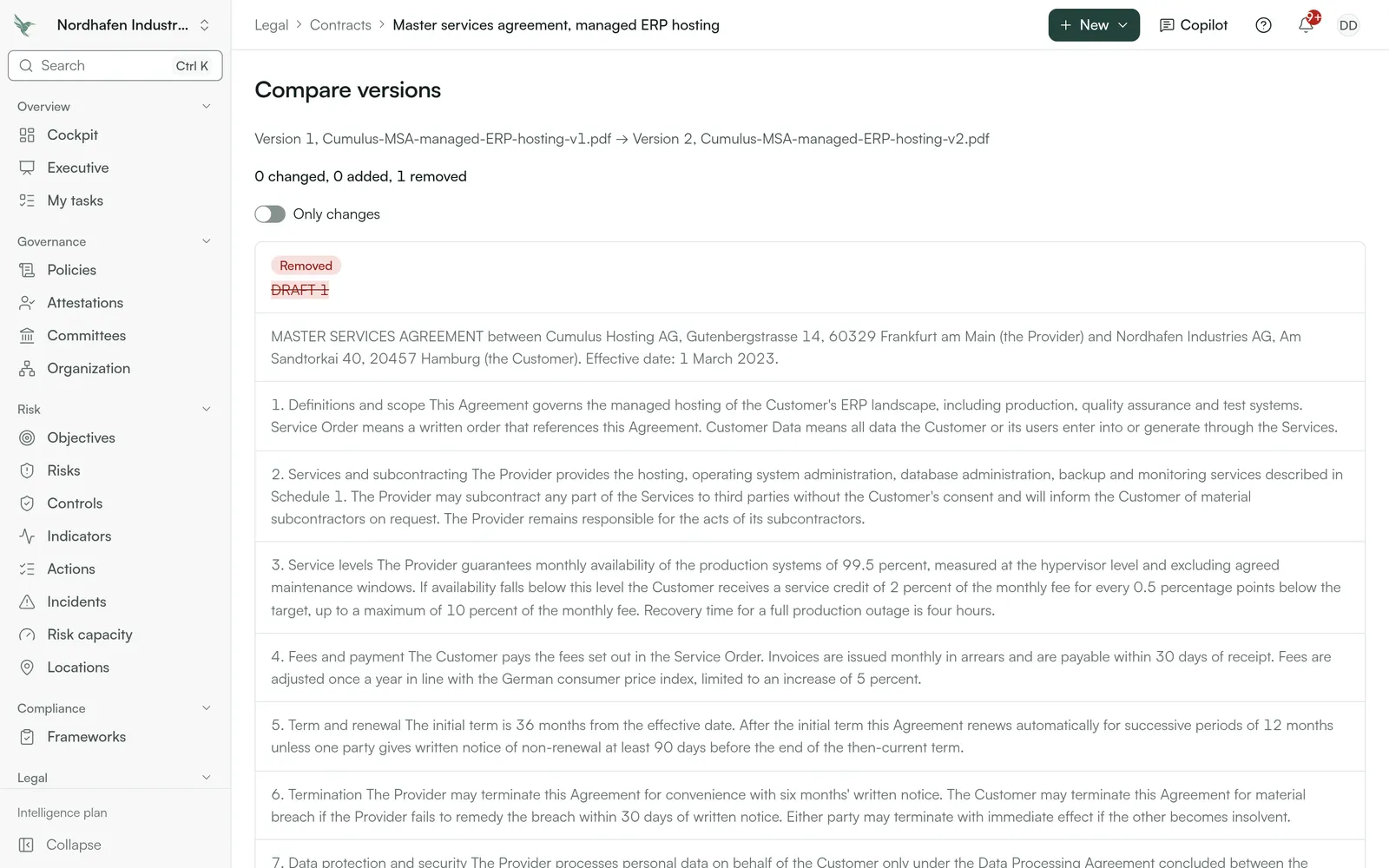
On Documents and versions, Compare with previous version next to a version opens a text comparison with the closest older version that has text. Changed paragraphs show the changed words marked on both sides, added and removed paragraphs carry the labels "Added" and "Removed", and Only changes hides the unchanged text. If the texts are identical the page says "No differences in the text". The comparison uses the text read from the files: layout and formatting are not compared, and a version without text must be read again first. Only the first 2,000 paragraphs of each version are compared; the page says so for longer documents. Anyone who can see the contract can compare its versions.
Things to know
- The app does not let a contract move to Signature before the signing approval is approved. The message says "Signing needs an approval first. Move the contract to Approval."
- If an approval is already pending, moving to Approval again does not create a second one.
- Contributors cannot move a contract that is past Drafting. Legal does.
- After a counterparty change or a change of scope, create an amendment from the menu of the parent contract. The amendment starts in Drafting and you repeat the steps above for it.