Counterparties
The third-party view of your contracts, with due diligence, sanctions screening, rating, and the contracts, risks and incidents of each counterparty.
A counterparty is the other party of your contracts. The page Counterparties shows who you contract with, how well you know them and what depends on them.
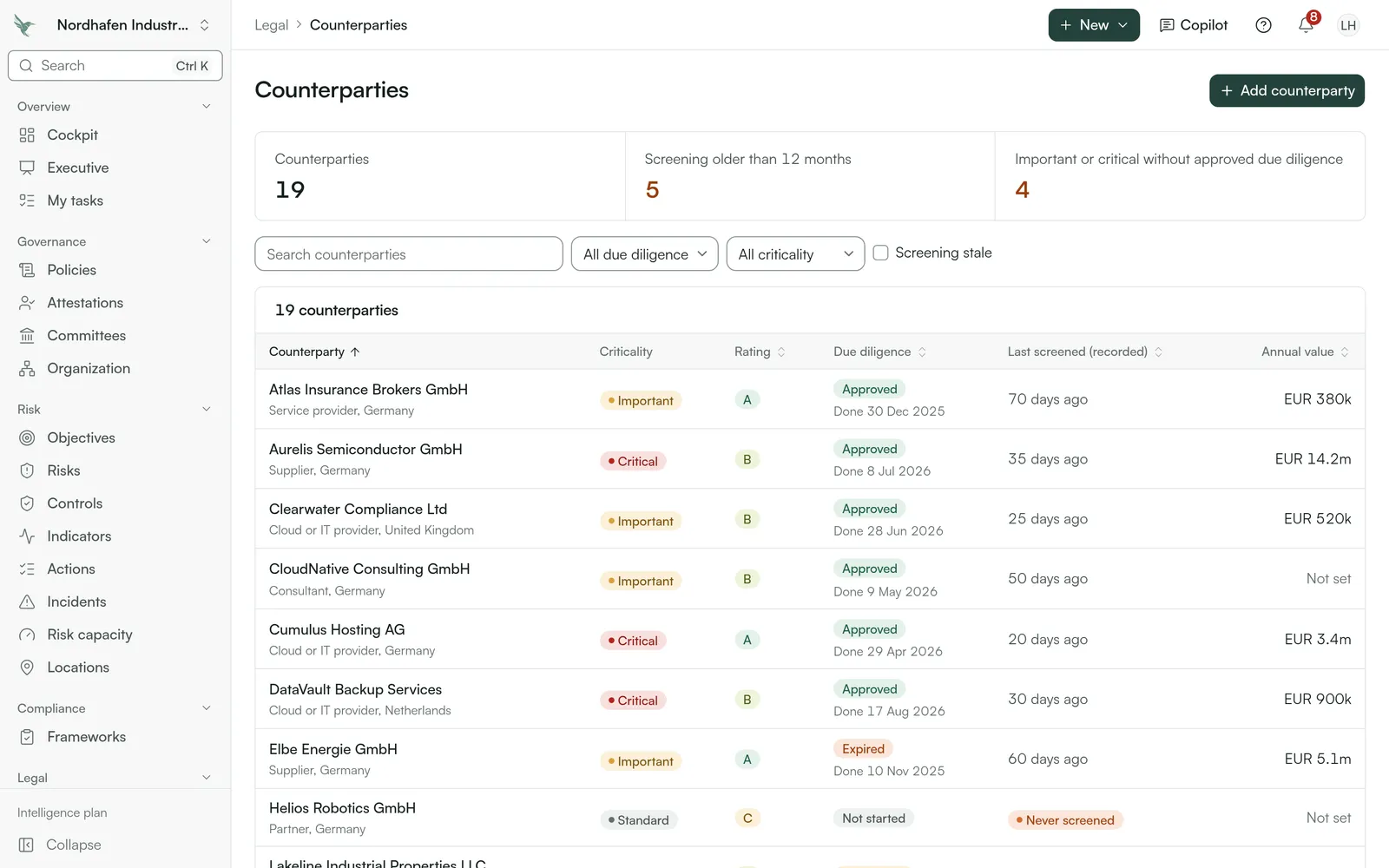
The overview
The page lists each counterparty with criticality, rating, due diligence status, the date of the last sanctions screening, number of contracts, annual value, linked risks and incidents. The annual value adds only your contracts in force, in your organization's currency. If a counterparty has contracts in another currency, the page says so. They are not added.
Three tiles help you set priorities:
- the number of counterparties and how many are critical,
- Screening older than 12 months: repeat sanctions screening at least yearly,
- Important or critical without approved due diligence.
Filters: search, due diligence status, criticality and "Screening stale".
Where counterparties come from
You do not have to create counterparties first. When you type a new name in the counterparty field of a contract, the app creates the counterparty. Use Add counterparty to record one before you have a contract. If you rename a counterparty, the name changes on all its contracts. A name is used once per organization, whatever the case: typing "acme" on a contract finds "ACME". A counterparty that still has contracts cannot be deleted; move or delete its contracts first.
Record due diligence and screening
Role needed
Open the counterparty and select Edit.
Set the Criticality: critical, important or standard.
Set the Due diligence status: Not started, In progress, Approved, Rejected or Expired. Enter the date on which the due diligence was completed.
Enter the date of your last screening in the field Last screened (recorded). The app does not screen by itself, it only records your date. Repeat the screening at least once a year. After 365 days the page shows it as stale.
Set the Rating from A (strongest) to D (weakest). Add country, registration number, type and notes.
Save.
The types are Supplier, Cloud or IT provider, Customer, Service provider, Partner, Landlord, Consultant and Other.
The app calculates the next review date from the completed due diligence: 24 months for critical counterparties and 36 months for all others. Use it to plan the next due diligence before you renew.
An approved due diligence counts for 365 days. Once its completion date is older than that, the daily job sets the status to Expired (audit log entry by System), and the panel shows "Due diligence expires on ..." while it is still approved. A contract moved to Approval whose counterparty is not approved or not screened for 365 days carries a warning for the approver. Signing is warned about, not blocked.
The counterparty record
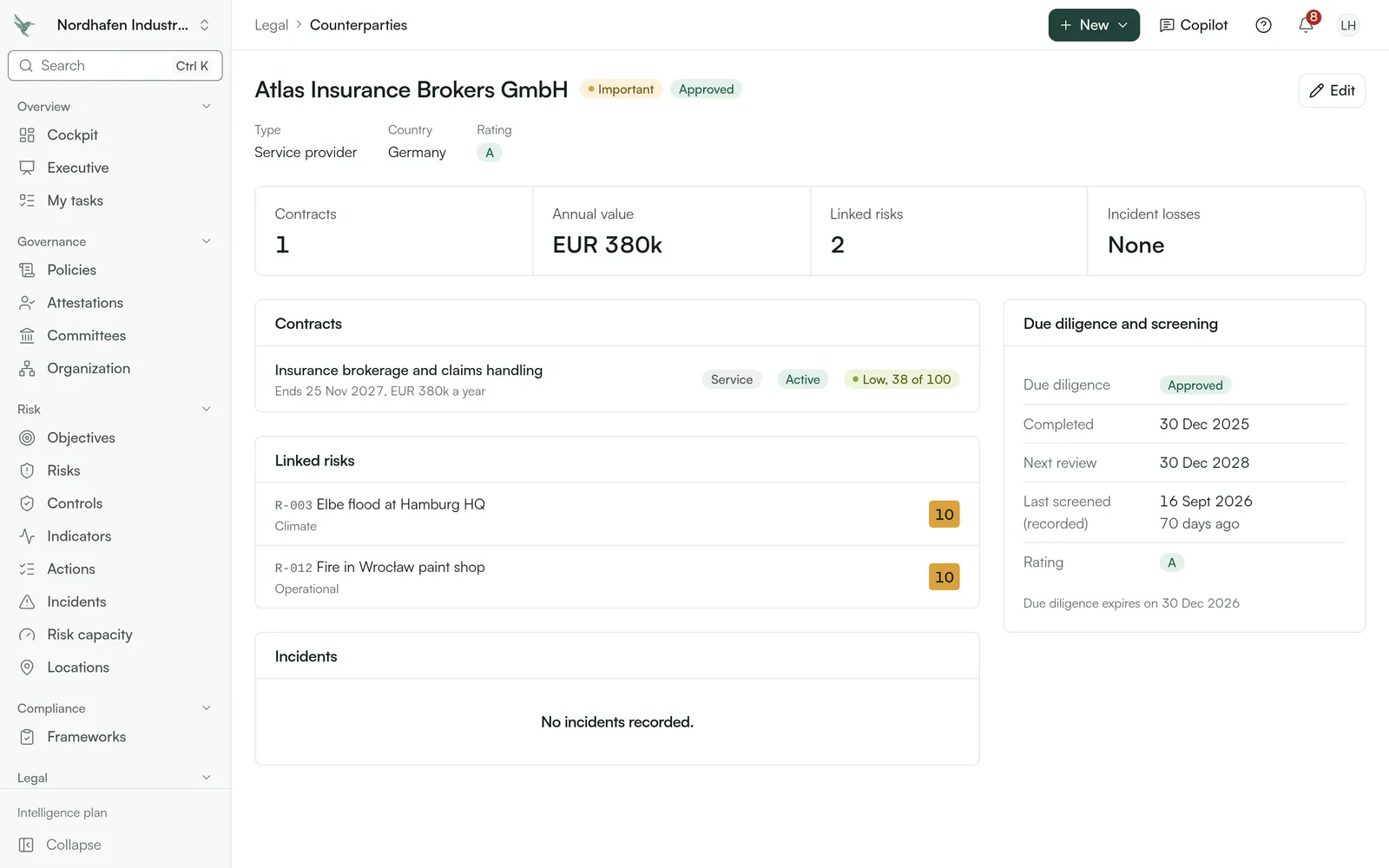
The record shows:
- the contracts with this counterparty, with end date and annual value,
- the due diligence and screening panel,
- the risks tied to the counterparty through its contracts,
- the incidents recorded on those risks and their losses.
Risks and incidents that you may not see are counted, not listed, for example "1 linked risk, not visible with your access".
Counterparties and risk
The link between a counterparty and the risk register runs through contracts. Link the risks to the contract. Then the counterparty record, the concentration view and the risk register show the same picture. See Contracts.
Permissions
Counterparties have no department of their own. A person limited to a department sees the counterparties that have at least one contract in that department, and only counts those contracts.
Contract obligations
Track what you and your counterparties owe under a contract, with due dates, owners and reminders. Let AI read the contract and propose drafts.
Matters
Track litigation, disputes, regulatory cases and advisory work with exposure, probability, deadlines and external counsel, and send the exposure to the risk register.