Auditor
What an internal or external auditor does in Volatilis GRC: read the framework, test the evidence and export it.
Role needed
You check that the framework works and that the records prove it. You read everything and change nothing. You export evidence.
What you do
- Read risks, controls, actions, policies, contracts and reports.
- Trace a change to the person and the date.
- Check that approvals happened before the effect they authorize.
- Export evidence for your working papers.
Access
The Auditor role reads all content modules except Automations. It can export reports, the year-end pack, the audit log, risks, controls and frameworks. It cannot create or change records.
Your pages
| Page | Use it to |
|---|---|
| Risks, Controls, Actions | The registers and their histories |
| Frameworks | Coverage and evidence per requirement. See Frameworks and requirements |
| Policies, Attestations | Versions, approvals and who confirmed. See Policies |
| Committees | Minutes and decisions |
| Reports | Board and management reports |
| Year-end pack | Audit evidence for the year, with exports. See Year-end pack |
| Second line view | What the head of risk reviews each week |
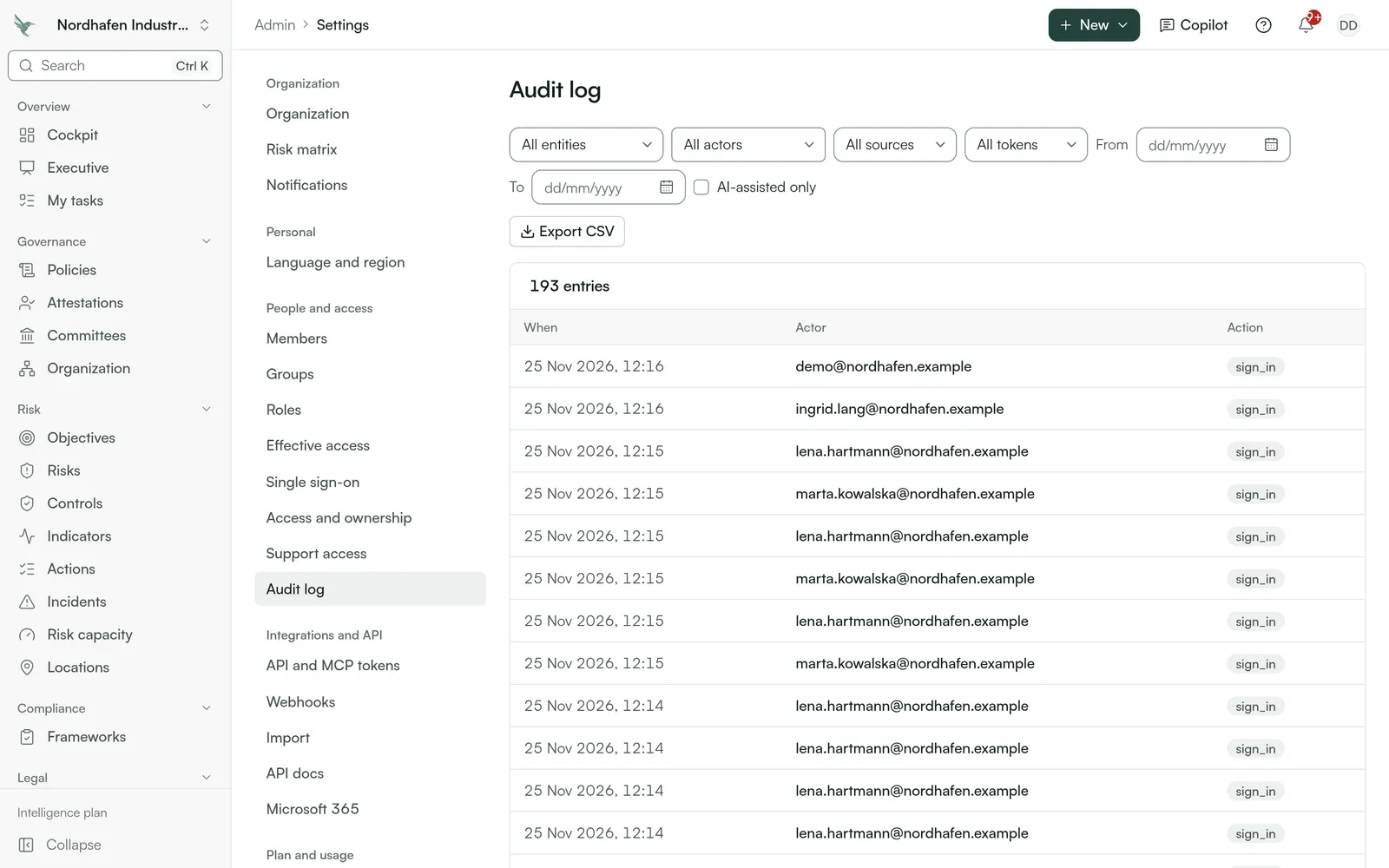
| Settings, Audit log | Every write: who, what, when and through which channel |
The audit log
Open Settings, then Audit log. Entries are newest first. Filter by Entity type, Actor, a From date and a To date, or use AI-assisted only to see changes a person accepted from an AI draft. Select Clear filters to start over. The log cannot be edited.
An export of the audit log is part of Intelligence (audit export). See Audit log.
Your routine
Define your sample
Pick the controls or risks you want to test from their registers. Export the list.
Follow the evidence
Open a control to read its tests, results and attachments. A failed test should lead to a corrective action. Follow the action to its closing.
Check approvals
For policies, contract signings, risk acceptances and board papers, find the approval and who decided. The audit log shows the change that followed.
Export and file
Export what you need from the registers, the year-end pack and the audit log.
Your workflows
- Year-end pack
- Control testing round: how tests are recorded.
- Policy lifecycle: how approval works.
Your reports
The Year-end pack and the Compliance status report are the main evidence. The pack also holds CSV exports. See Report templates.