Governance secretary
What a governance secretary does in Volatilis GRC: committees, meetings, board papers, policies and approvals.
Role needed
You run the machinery of governance: committee calendars, agendas, minutes, decisions, board papers and the policy library. You make sure decisions are recorded and followed through.
What you do
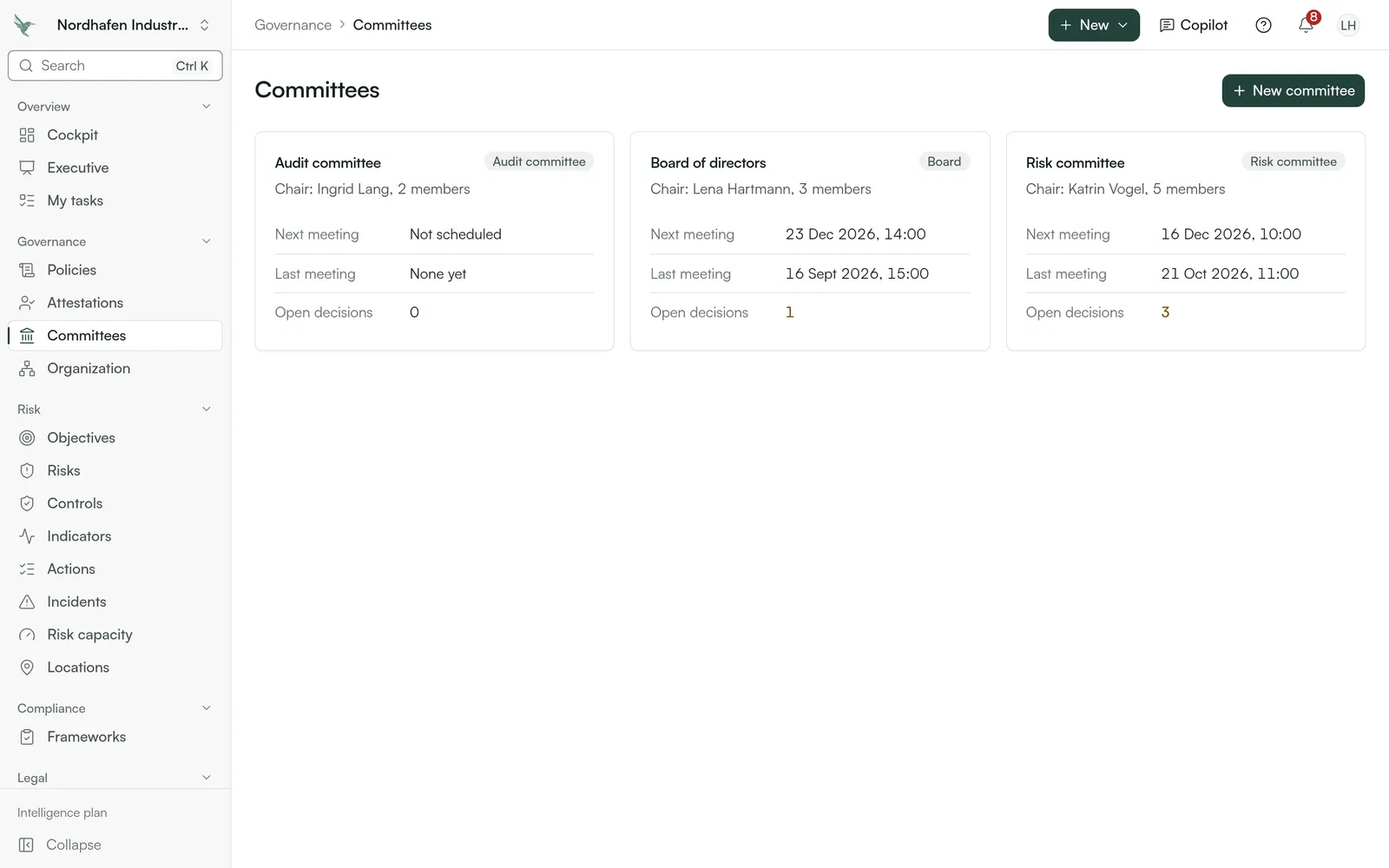
- Set up committees: board, risk, audit and others, with their members.
- Plan meetings, build the agenda and link board papers.
- Record minutes and decisions, with owner and due date.
- Prepare board papers and send them for approval.
- Keep policies versioned, reviewed and approved.
- Chase approvals.
Your pages
| Page | Use it to |
|---|---|
| Committees | Meetings, minutes and decisions. See Committees and meetings |
| Policies | Policies, standards and approvals. See Policies |
| Organization | Departments, taxonomy and appetite. See Org units and taxonomy |
| Reports | Board papers and board reports. See Report templates |
| My tasks | Approval, Policy review and your own items |
| Actions | The actions that come out of decisions |
Your week
Prepare the next meeting
Open Committees, pick the meeting and build the agenda. Link board papers to the items.
Record decisions as actions
For each decision, give it an owner and due date. Choose as action to create an action with status planned, owned by the decision owner. It then shows up in My tasks and in Actions.
Chase approvals
An approval is one decision request on one record. Pending approvals show in the approver's My tasks. Whoever requested an approval cannot decide it, admins included, and a rejection needs a comment.
Review the policy calendar
A Policy review task appears when an approved policy is within 30 days of its next review.
Board papers
A board paper is a document for a committee decision, for information or for discussion. The templates for decisions are:
- Risk appetite statement renewal
- Approval of risk acceptance
- Contract above signing authority
- New policy approval
A blank paper has six sections: summary, background, analysis, options, recommendation and resolution. Submitting a paper freezes a snapshot of its figures and creates an approval for the approver set in the report settings, by default an admin. Approval numbers the paper. A rejection returns it to draft and drops the snapshot, so the author can rework it. See Approval and snapshot.
Your workflows
- Committee meeting: from agenda to minutes.
- Policy lifecycle: draft, review, approve, retire.
- Approvals: who decides what.
Your reports
Board papers per decision and the Board risk report for the board. Your own overview is the Committees page and the decisions it lists.