Risk manager
What a risk manager does in Volatilis GRC, the pages to use, a weekly routine and the reports to produce.
Role needed
You run the risk framework for the second line. You keep the register healthy, chase the first line, quantify what matters and report to management and the board.
What you do
- Keep the risk register current, with owners, scores and links to controls.
- Chase overdue risk reviews so owners keep their risks current.
- Triage what the first line reports: incidents and raised risks.
- Set appetite and capacity, and watch where risks sit against them.
- Decide, or prepare the decision, on risk acceptance.
- Report to the risk committee and the board.
Your pages
| Page | Use it to |
|---|---|
| My tasks | Work the queue: Reported incident, Raised risk. Use Show the whole team to see everyone's open items |
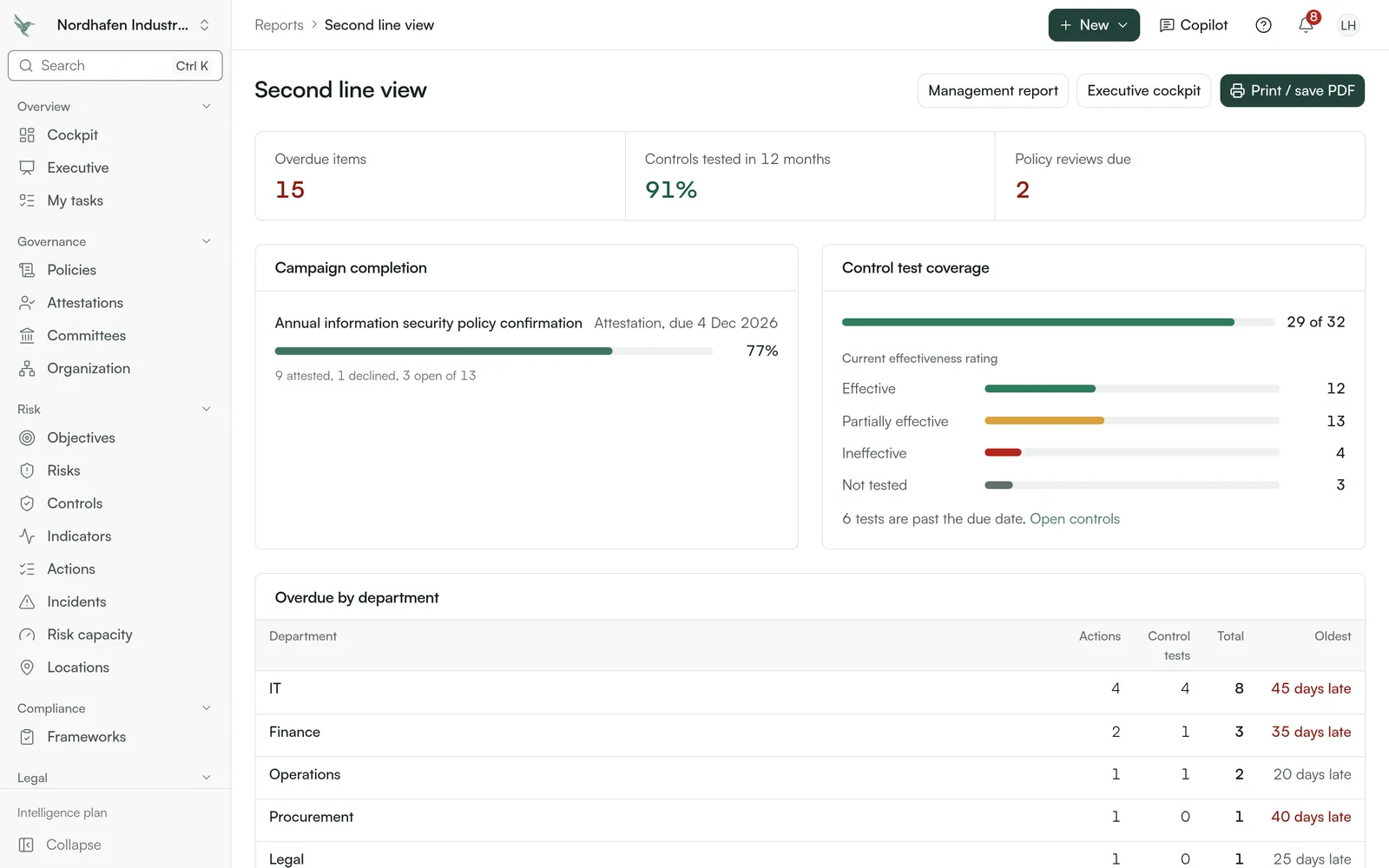
| Second line view | The weekly view: overdue items by department, controls tested in 12 months, policy reviews due |
| Cockpit | Your risk position at a glance |
| Risks | The register. See Risks |
| Indicators | Thresholds and readings. See Indicators |
| Actions, Incidents | Treatment and loss events |
| Risk capacity | Capacity, appetite and the simulation. See Capacity and appetite |
| Organization | Departments, taxonomy and appetite per category. See Org units and taxonomy |
| Reports | The management risk report and board reports |
| Automations | Reminders and escalation rules. See Automations and agents |
Your week
Monday: open the second line view
Check the overdue items by department, controls not tested in 12 months and policy reviews due. The page links to the management report.
Every day: clear the intake queue
Reported incidents and raised risks wait in My tasks. A raised risk only holds the requester's description: the requester describes, your team completes. Take it or Assign to a colleague, Ask the requester when something is unclear, then Complete the risk (owner, cause and consequence, rating, objective when required) and open it, or Decline it with a reason of at least 5 characters or as a duplicate. A declined raised risk stays a draft and the requester sees your reason. A raised risk is due after the working days an admin set under Raised risks and contract requests (default 5); the team is reminded the day before. See Workflow: raise a risk.
Midweek: chase risk reviews
Open Risks and sort by the Review column. Ask the owners whose review date has passed to open the Risk review task and update the risk.
Friday: look at indicators and actions
Check indicators in breach and actions that are overdue. Chase the owners, or let a reminder rule do it.
Your workflows
- Risk review cycle: owners review their risks when the date arrives.
- Risk acceptance: keep a risk above appetite for a limited time, with approval.
- Control testing round: what happens to a failed test.
- Quarterly board risk report: from data to approved report.
Your reports
| Report | Use |
|---|---|
| Management risk report | The monthly report for you, the CRO and the risk committee: position against capacity, movers, data quality, indicators in breach, actions, incidents and controls |
| Board risk report | The quarterly report to the board: capacity, top risks and changes, appetite, indicators, incidents, actions, compliance and the decisions required |
| Department report | The risks, indicators, actions and incidents of one department |
Open a template with live data or create a dated report for approval. See Report templates.