Risk owner
What a risk owner does in Volatilis GRC, with the few pages and tasks you need and a light weekly routine.
Role needed
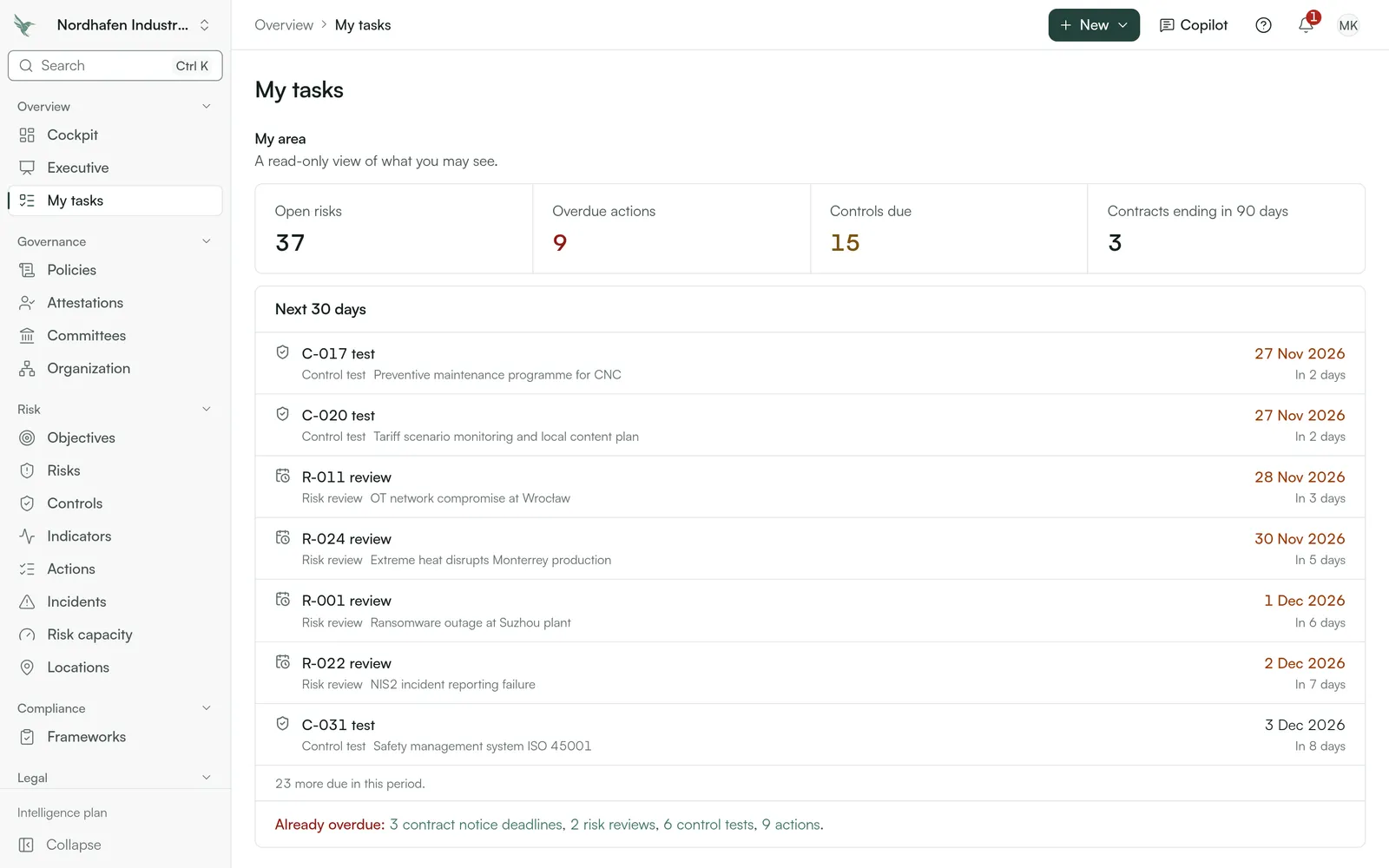
You are in the business and you are accountable for risks in your area. The app keeps your part short: one inbox, short forms and reminders.
What you do
- Review your risks when the review date arrives and update them directly.
- Record indicator values on time.
- Move your actions forward and update progress.
- Raise a new risk or report an incident when you see one.
- Confirm that policies assigned to you are read.
What you can do in the app
As a contributor you see the registers and create records. You edit the records you own or are a delegate of. You see attestations assigned to you. You do not see the Cockpit, Risk capacity or Reports unless your admin gives you more access.
Your pages
| Page | Use it to |
|---|---|
| My tasks | Everything assigned to you |
| Risks | Your risks, with scores and linked controls. See Risks |
| Indicators | Record values for your indicators. See Indicators |
| Actions | Your treatment actions. See Actions |
| Incidents | Loss events in your area. See Incidents |
| Copilot | Ask questions and draft records. See Copilot |
Quick forms
Open New at the top of the page:
- Raise a risk: something that could go wrong. Describe it in your own words and add a file if you have one; the risk team rates it, gives it an owner and completes it. It is a draft until the team opens it, and you cannot open it yourself. Follow it under Raised by me in My tasks, where you also answer the team's questions. See Workflow: raise a risk.
- Report an incident: something went wrong or almost did. Give a title of at least 5 characters and the date it happened, which cannot be in the future.
Your week
Open My tasks
Look at Overdue and Due in the next 7 days. Select an item to open it in a drawer.
Review your risks
For each Risk review task, open the risk, check that it is still relevant and update likelihood, impact and your controls. Then set the next review date. Nobody signs your update off: you edit the risk yourself.
Record indicator values
An Indicator value task appears when a value is due within 3 days. Enter the new reading.
Update your actions
Open each Action, set progress and the status. An action past its due date shows as Overdue action.
Hand over to a colleague
A record can have delegates. A delegate can edit it like you. Add one on the record under Delegates when you are away. See Roles, groups and scope.
Your workflows
- Risk review cycle: what the review task asks of you.
- Risk acceptance: when a risk stays above appetite.
Your reports
You do not see Reports with the contributor role. If your organization gives you access to it, the Department report shows the risks, indicators, actions and incidents of your department. Otherwise your risk manager shares what you need.