Legal counsel
What legal counsel does in Volatilis GRC: contract requests, reviews, matters, clauses and the legal report.
Role needed
You run legal work for the business: you review contracts, track what is owed under them, handle legal matters and keep the clause library and playbook. People in the business reach you through short forms, and the app puts the work in your inbox.
What you do
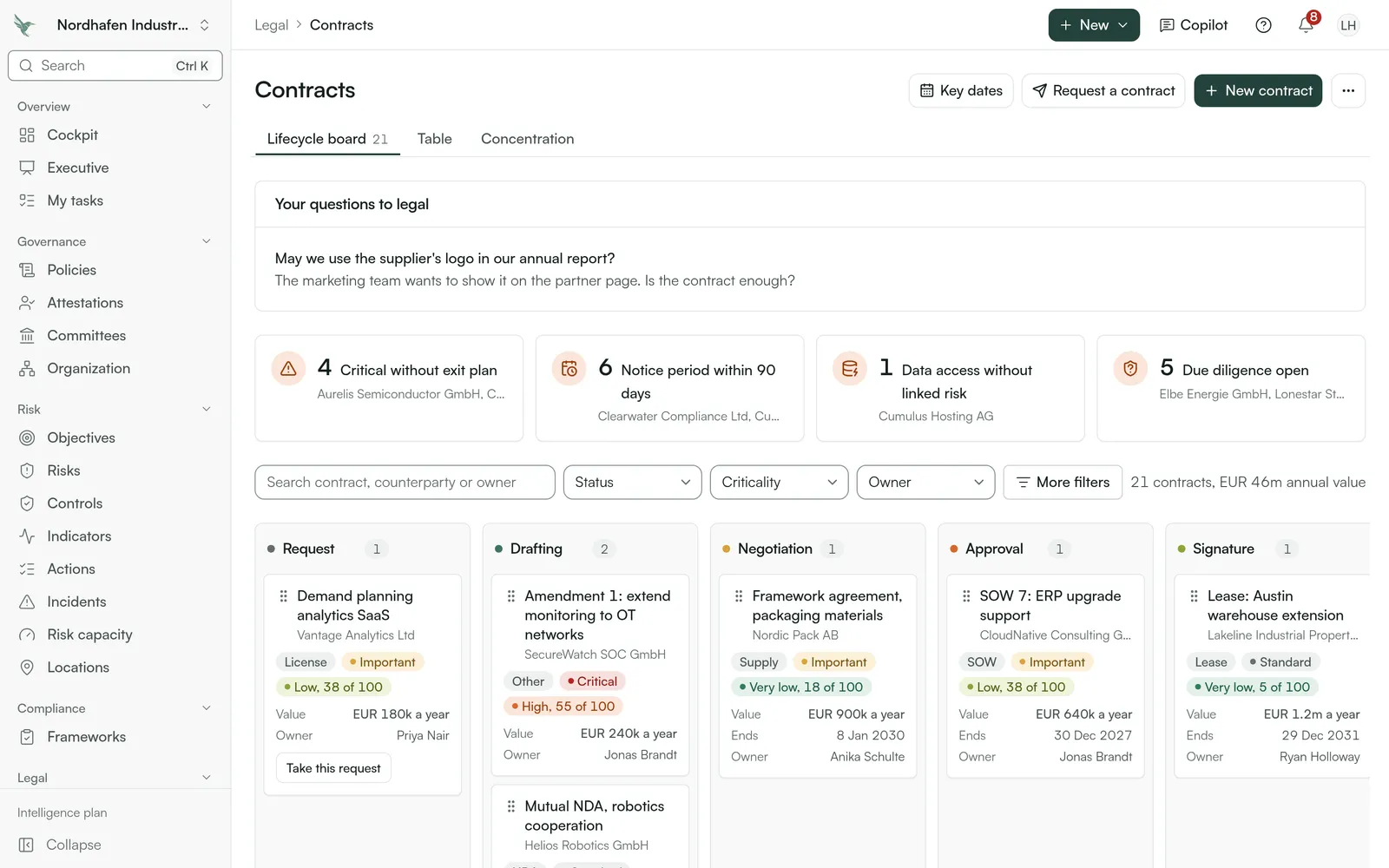
- Take contract review requests and legal questions from the business.
- Run the AI contract check and decide on each finding.
- Accept the obligations the check extracts.
- Watch notice periods and renewals.
- Vet counterparties: due diligence and sanctions screening.
- Manage legal matters and their exposure.
- Maintain the clause library and the playbook.
Access
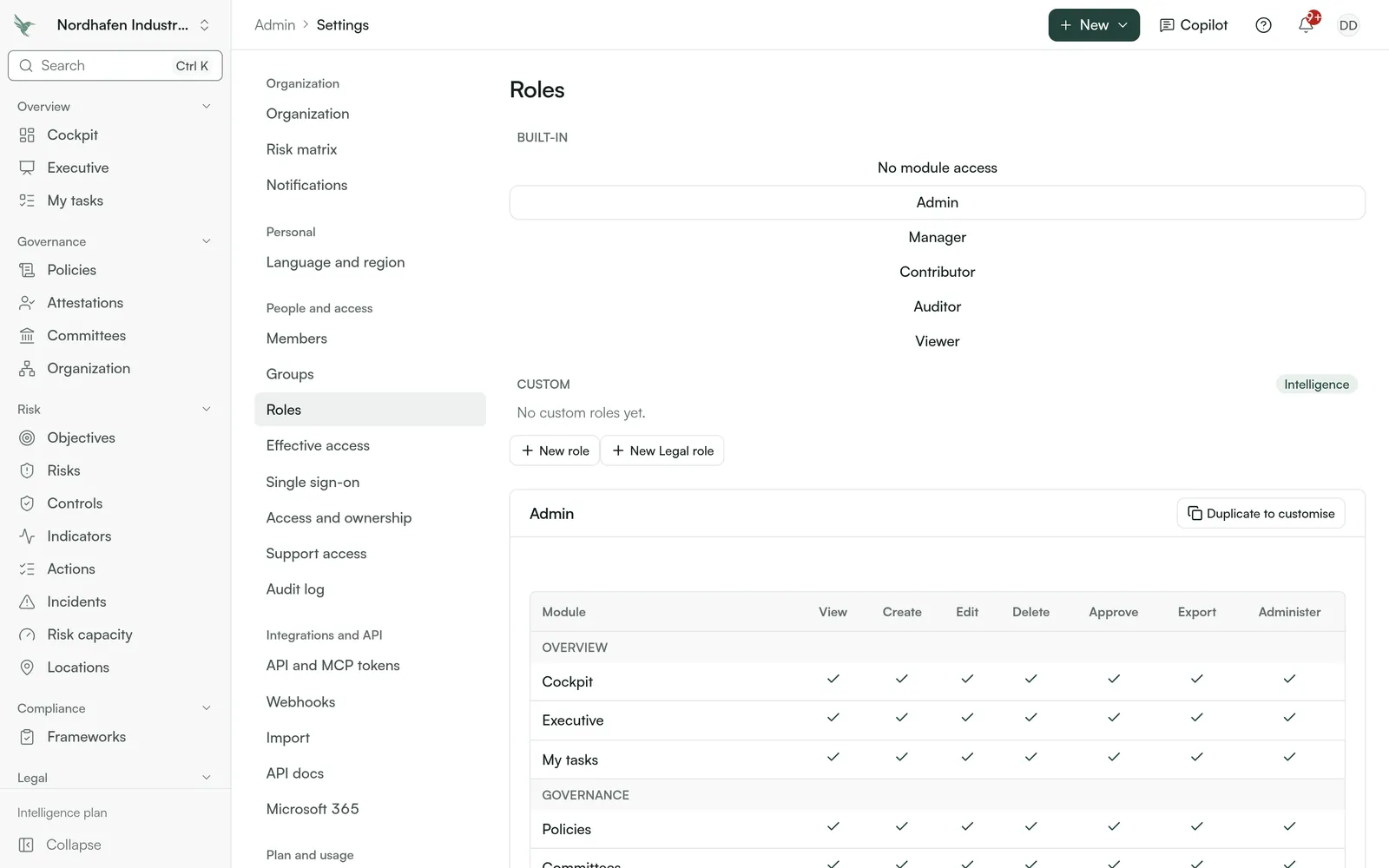
The Manager role covers all legal modules. If legal staff should see only legal work, an Intelligence organization can create the custom role Legal with New Legal role under Settings > Roles (a ready-made starting set) and assign it on top of No module access. It gives Contracts, Counterparties, Contract obligations, Matters, Clause library, Copilot and My tasks. See Roles, groups and scope.
Your pages
| Page | Use it to |
|---|---|
| My tasks | Contract request, Contract review, Draft obligation, key dates (including Matter deadline) |
| Contracts | Lifecycle from request to terminated. See Contracts |
| Counterparties | Due diligence and sanctions screening. See Counterparties |
| Contract obligations | What we and our counterparties owe under contract. See Contract obligations |
| Matters | Litigation, disputes and advisory. See Matters |
| Clause library | Standard clauses and playbook. See Clause library |
| Copilot | Draft and search. See Copilot |
| Reports | The legal and contracts report |
Regulatory duties are not contract obligations. They are Requirements, and you find them under Frameworks.
Your week
Triage requests
Work the Contract request tasks. A contract request starts in status request. You get the notification "New contract request" when you are on the legal team for the requester's department, or may approve contracts for the whole organization and no department team exists. The requester only describes the need and names the other party: on the contract, Complete the request shows their text, Assign to, Ask the requester, Decline and what is still missing under Ready for drafting. See Contract request. An "Ask legal" question becomes a matter of type advisory.
Decide on findings
After an AI contract check, a Contract review task reads "Decide on N AI findings". Accept or dismiss each finding. The AI proposes, you decide. See AI contract check.
Accept draft obligations
A Draft obligation task lets you accept an extracted obligation into the tracker, or leave it.
Check the calendar
Look at notice deadlines, contract ends and matter deadlines in the next 90 days. When a notice deadline is near, use Decide renewal to record whether you renew, renegotiate or give notice. See Contract calendar and Renewal and notice.
Keep matters current
When a matter's exposure changes, the linked register risk follows. If you cannot write to the risk register, the change waits for a risk manager.
Your workflows
- Contract request: from business request to draft.
- Contract review: check against the playbook and decide.
- Renewal and notice: never miss a notice period.
Your reports
The Legal and contracts report is for the general counsel and the CFO. It covers notice deadlines, obligations due, open matters with exposure and open contract review findings. See Report templates.